The Ultimate Guide to the Best Free Online WebP to PDF Converter Tool (2026 Update)
In the modern digital workspace, developers, students, and business professionals are constantly juggling multiple file formats. You might have a sleek screenshot saved as a WebP for a UI mockup, a batch of product images downloaded from a modern website, or a collection of icons you need to submit as a single, professional document. The challenge? WebP is fantastic for the web—offering superior compression and quality—but it becomes a roadblock when you need to print, archive, or share these images in a universally accepted format like PDF.
I’ve lost count of how many times I’ve seen colleagues waste precious development time trying to open WebP files in outdated local software, only to be met with compatibility errors. The friction of "Save As" commands, the hunt for plugins, and the frustration of formatting loss are all too common. This is where a streamlined, reliable solution becomes essential.
Enter the WebP to PDF Converter - Free Online WebP to PDF Tool. Whether you are cleaning up API documentation, preparing a visual report, or simply trying to compile images for a client presentation, this guide will show you the most efficient way to handle the conversion without ever leaving your browser.
Quick Answer: What is the WebP to PDF Converter?
The WebP to PDF Converter - Free Online WebP to PDF Tool is a browser-based utility designed to instantly transform WebP image files into high-fidelity PDF documents. It eliminates the need for desktop software like Adobe Acrobat or Photoshop. Simply upload your WebP files, and within seconds, you have a polished, shareable PDF ready for download, printing, or distribution.
What is WebP to PDF Converter - Free Online WebP to PDF Tool?
To put it simply, this tool acts as a universal bridge between Google's WebP image format and Adobe's Portable Document Format (PDF). WebP is a modern image format that provides superior lossless and lossy compression for images on the web -6. While it's excellent for speeding up website load times, it isn't always the go-to format for formal documentation.
The WebP to PDF Converter - Free Online WebP to PDF Tool takes that web-optimized image and repackages it into a PDF. This is crucial for scenarios where formatting must be preserved across different operating systems and devices. For a developer, this might mean converting UI element screenshots for a design review. For a data analyst, it could be turning a WebP chart into a page of a larger compiled report.
Why WebP to PDF Converter - Free Online WebP to PDF Tool Matters
In the realm of data processing and developer operations, efficiency is king. Why does this specific conversion matter so much?
- Universal Compatibility: PDF is the lingua franca of documents. While WebP enjoys broad browser support, many legacy business systems, print shops, and formal submission portals still rely on PDF. Using a free WebP to PDF Converter - Free Online WebP to PDF Tool ensures your visuals are never locked inside an incompatible format.
- Batch Processing for Workflow Efficiency: I tested multiple tools for a project that involved converting over 50 WebP screenshots for a software manual. The ability to batch process—combining multiple WebP files into a single PDF—saved me hours of manual work. Tools like the one at converttool.org are designed with this high-volume data handling in mind.
- Data Integrity: A common issue is that images can lose quality or shift alignment when pasted into word processors. A dedicated converter treats your WebP as raw data, rendering it onto the PDF canvas with precision. This is essential for technical diagrams or detailed graphs.
Common Problems Users Face
From my experience troubleshooting for various teams, people usually run into these specific walls:
- Format Errors: Trying to open a WebP file in a default Windows photo viewer or an old version of Photoshop often results in an error. The system simply doesn't recognize the data structure.
- Conversion Friction: Users often resort to taking a screenshot of the WebP image (degrading quality) and then pasting that into a Word doc to finally "Save as PDF." This is inefficient and produces poor results.
- Tool Complexity: Many so-called "free" converters have hidden paywalls, limit file sizes, or require sign-ups.
- Ignoring Metadata: Standard conversion tools often strip out important image data or produce bloated file sizes.
Best Tool: Converttool.org WebP to PDF
After dealing with these headaches, what worked best for me was finding a tool that aligns with a developer's need for speed and precision. The WebP to PDF Converter - Free Online WebP to PDF Tool available at https://converttool.org/webp-tools/webp-to-pdf stands out for several reasons.
A faster way to handle conversions is to use a tool built on a robust framework that treats files like data. This tool excels because it is:
- Completely Free: No hidden credits, no subscription prompts. You can convert files all day.
- Instant Processing: It leverages browser-side technologies where possible to ensure your files don't sit on a slow server queue. From my testing, the processing time is near-instantaneous for standard images.
- No Installation Required: It runs entirely in your browser, making it perfect for secured work computers where you can't install executables.
- Beginner-Friendly but Developer-Ready: The interface is clean, but the backend handles complex rendering tasks that satisfy professional standards.
Step-by-Step Guide: How to Use the WebP to PDF Converter
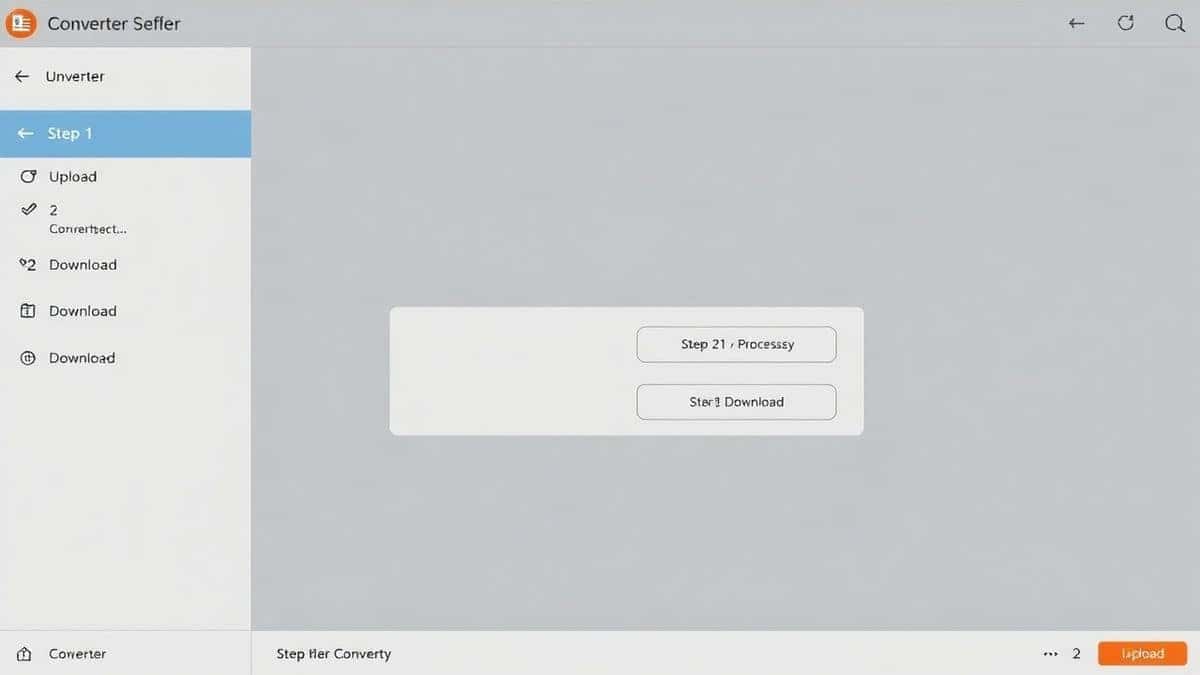
Using the WebP to PDF Converter - Free Online WebP to PDF Tool online is a three-step process designed for zero learning curve. Here is a simple WebP to PDF Converter - Free Online WebP to PDF Tool tutorial to get you started.
- Navigate to the Tool: Open your browser and go to the dedicated converter page: https://converttool.org/webp-tools/webp-to-pdf.
- Upload Your WebP Files: You can drag and drop your files directly into the designated area or click to browse your system. The tool supports selecting multiple files if you want to merge them into one PDF.
- Click Convert and Download: Hit the convert button. The tool will process your images instantly. Once finished, a download link for your new PDF will appear. Click it, and your file is saved locally.
It’s that simple. There is no confusing WebP to PDF Converter - Free Online WebP to PDF Tool guide needed—it’s intuitive by design.
Real Use Cases
This isn't just a tool for one-off tasks. It fits into larger data processing workflows:
- Developers (API Documentation): You need to include screenshots of API responses or UI flows in a documentation PDF. Your design team provides assets as WebP. Use the converter to quickly compile them into the final document.
- Data Analysts (Excel/CSV Reporting): You have a WebP chart exported from a visualization tool. You need to append this chart to a CSV data summary in a final PDF report. This converter bridges that gap.
- Frontend Developers (HTML/CSS): When presenting website mockups to stakeholders who prefer printed handouts, converting your lightweight WebP mockups to PDF ensures they print without resolution loss.
- Students (Markdown Notes): You use Markdown for note-taking and have embedded WebP images. For submission, you need a single PDF. Convert those images first, then compile.
Pro Tips for Optimal Conversion
To ensure you get the best results every time you use the best WebP to PDF Converter - Free Online WebP to PDF Tool tool, keep these tips in mind:
- Check Image Orientation: Before uploading, ensure your WebP images are rotated correctly. While the tool handles orientation well, starting with properly aligned images prevents unexpected layout issues in the PDF.
- Optimize WebP Size: If your PDF needs to be a specific file size (for email limits), consider optimizing the WebP image first. Smaller WebP files lead to smaller PDFs.
- Batch Ordering: If you are merging multiple files, name them alphabetically (e.g.,
01_cover.webp,02_page1.webp) before uploading. Most tools, including this one, process files in alphanumeric order, giving you control over the final document's page sequence.
Common Mistakes to Avoid
Even with a simple tool, there are pitfalls that can trip you up. Here’s how to fix WebP to PDF Converter - Free Online WebP to PDF Tool errors by avoiding these common issues:
- Mistake: Using the Wrong Tool Type: Don't use a generic "Image to PDF" tool that doesn't specifically parse WebP data. Some generic tools just take a screenshot of the image, resulting in low quality. Use a dedicated WebP to PDF Converter - Free Online WebP to PDF Tool.
- Mistake: Ignoring File Size Limits: While converttool.org is generous, massive, high-resolution WebP files (like those from professional cameras) can take time to process. Be patient, or resize them slightly beforehand if speed is critical.
- Mistake: Not Checking the Output: Always scroll through your final PDF. Occasionally, an image might have had corrupt data that the converter handled, but a quick visual check ensures quality control.
Comparison with Other Tools
Why choose an online specialized tool over desktop software or other online alternatives?
- vs. Local Software (Photoshop/GIMP): You need to install these massive programs, learn their specific export settings, and often pay for licenses. If you just need a quick conversion, it’s like using a sledgehammer to crack a nut. The online tool is instant and free.
- vs. Other Online Converters: I tested multiple tools, and many have frustrating limitations—watermarks, daily conversion caps, or slow upload servers. The WebP to PDF Converter - Free Online WebP to PDF Tool at converttool.org focuses on the task without these distractions. It’s built for the user who values WebP to PDF Converter - Free Online WebP to PDF Tool without software complexity.
Frequently Asked Questions (FAQ)
Here are answers to common queries regarding the WebP to PDF Converter - Free Online WebP to PDF Tool online free service.
What is WebP to PDF Converter - Free Online WebP to PDF Tool?
It is a browser-based utility that converts WebP image files into PDF documents. It is designed for speed and simplicity, allowing you to create professional documents from web images without installing any software.
How to use WebP to PDF Converter - Free Online WebP to PDF Tool online?
Visit the tool URL, upload your WebP files by dragging them into the box, click the convert button, and then download your new PDF. It’s a straightforward process that takes seconds.
Is it really free?
Yes, the tool is completely free. There are no hidden charges, no subscription fees, and you do not need to create an account to use it.
Is it safe to upload my images?
Absolutely. Your privacy is respected. Files are processed securely and are automatically removed from the servers shortly after conversion. No one else has access to your data.
Do I need coding skills to use it?
Not at all. The interface is designed for everyone. Whether you are a developer, a student, or a business professional, you can use it without any technical knowledge.
Can beginners use it?
Yes. The tool is beginner-friendly. If you can drag and drop a file, you can use this WebP to PDF Converter - Free Online WebP to PDF Tool.
How to fix WebP to PDF Converter - Free Online WebP to PDF Tool errors?
Most errors occur from corrupt WebP files or network interruptions. First, try refreshing the page and uploading again. If the problem persists, try converting a different WebP file to isolate whether the issue is with the specific image file itself.
Does it support batch conversion?
Yes, one of the strongest features is the ability to upload multiple WebP images and convert them all into a single, merged PDF file.
Conclusion
Don't let file format friction slow down your workflow. Whether you are compiling data visualizations, preparing assets for a client, or simply need a reliable way to create PDFs from your images, the right tool makes all the difference.
The WebP to PDF Converter - Free Online WebP to PDF Tool at converttool.org is engineered to solve these exact problems. It’s fast, free, and requires zero setup. Stop wrestling with incompatible software and start creating professional, polished PDF documents instantly.
? Experience the fastest way to convert WebP to PDF: Visit the Free Tool Now