The Ultimate Guide to the Best Free JPG to GIF Converter Online (2026 Update)
In the modern development workflow, data isn't just about JSON structures and API endpoints. Visual content plays a critical role in documentation, UI/UX prototyping, and front-end optimization. Yet, many developers and data professionals hit a wall when they need to transform static images into lightweight, animated formats.
You might have a series of JPG screenshots showing a workflow bug, or a set of UI mockups you want to combine into a quick, looping preview. Downloading bloated software or wrestling with command-line tools for a simple conversion feels like a waste of precious coding time. The frustration of finding a tool that is fast, respects your privacy, and actually works without forcing you to sign up for a newsletter is real.
This is where a reliable, browser-based solution comes into play. In my experience, the best tools are the ones that get out of your way and let you focus on the task at hand. This guide explores how to efficiently use a JPG to GIF Converter - Convert JPG Images to GIF Online, ensuring your static visuals become engaging, animated assets in seconds, all while maintaining the integrity of your development environment.
Quick Answer: What is the Best JPG to GIF Converter?
A JPG to GIF Converter - Convert JPG Images to GIF Online is a web-based tool that allows you to upload one or more JPG images and combine them into a single animated GIF file. The simplest and most effective solution for developers and beginners alike is the tool found at https://converttool.org/jpg-tools/jpg-to-gif. It’s free, requires no installation, and processes files instantly directly in your browser.
What is a JPG to GIF Converter?
At its core, a JPG to GIF Converter - Convert JPG Images to GIF Online is a specialized utility that takes the static data from a JPG file (a Joint Photographic Experts Group image) and re-encodes it into the GIF (Graphics Interchange Format) specification -8.
While a JPG file is excellent for photographs due to its millions of colors and adjustable compression, it is inherently static. The GIF format, on the other hand, uses a lossless compression algorithm and is limited to a palette of 256 colors. This limitation is precisely what makes it perfect for simple animations, logos, and graphics with solid colors -1-6.
When you use a converter, you are essentially telling the software to take the pixel data from your JPG and map it to the GIF's color table. If you upload multiple JPGs, the converter stitches them together as frames in a sequence, creating an animation. This is incredibly useful for creating lightweight tutorials, bug reports with visual steps, or simple loading animations for a front-end project.
Why JPG to GIF Conversion Matters for Data Professionals
You might be thinking, "I work with JSON and APIs, why do I care about GIFs?" The truth is, data presentation is just as important as data processing. Here is why mastering this conversion is relevant to your workflow:
- Enhanced Documentation: Static images in your
README.mdfiles are okay, but a short GIF demonstrating a UI interaction or a data visualization update is far more effective. It provides immediate context. - Efficient Bug Reporting: Instead of writing paragraphs explaining an animation glitch, you can convert a sequence of JPG screenshots into a GIF. It shows the problem frame-by-frame, saving time for you and your team.
- Front-End Optimization: For simple UI elements like loading spinners or icon animations, GIFs often have a smaller file size than autoplaying videos or complex JavaScript animations, leading to faster page loads.
- Prototyping and UX: Quickly stitching together UI mockups into a GIF helps visualize user flow without writing a single line of code for a prototype.
I tested multiple tools for this purpose, and the biggest challenge was finding one that didn't degrade image quality to the point of unreadability or add watermarks. The goal is to communicate information clearly, not just create a flashy graphic.
Common Problems Users Face When Converting Images
When searching for a best JPG to GIF Converter - Convert JPG Images to GIF Online tool, users often encounter several roadblocks. Understanding these pain points helps you know what to avoid.
- Format Confusion: Many users don't realize that converting a single JPG to a single GIF just changes the file format; it doesn't create an animation. You need multiple images to make a true GIF.
- Loss of Quality: Because GIFs are limited to 256 colors, complex photographs can look grainy or "posterized" after conversion if the tool doesn't handle color quantization well.
- File Size Explosion: Animated GIFs can become massive if not optimized. Some tools create files so large they are unusable for websites or email.
- Software Installation Bloat: Downloading "free" converters often leads to adware, spyware, or unwanted programs cluttering your development machine.
- Privacy Concerns: Uploading sensitive UI mockups or internal data to an unsecured website is a risk. You need a tool that guarantees privacy.
Best Tool: ConvertTool.org JPG to GIF Converter
After analyzing the landscape and dealing with the common frustrations, what worked best for me was using a dedicated, no-nonsense platform. For a seamless experience, the JPG to GIF Converter - Convert JPG Images to GIF Online at https://converttool.org/jpg-tools/jpg-to-gif stands out. It aligns perfectly with the needs of a developer looking for a quick, reliable solution.
Here’s why it fits the bill for processing visual data efficiently:
- Free Online Tool: No credit cards, no trial periods, and no hidden costs. It’s completely free.
- No Installation Required: It runs entirely in your browser. This keeps your development environment clean and free from potential bloatware.
- Instant Processing: Uploads and conversions happen in real-time. A faster way is to simply drag and drop your files and see the result immediately.
- Beginner-Friendly Interface: You don't need to be a graphic designer. The UI is straightforward: upload images, adjust speed, and convert.
- Browser-Based Security: Your files are processed without necessarily being stored on a server long-term, addressing privacy concerns.
This tool acts as a JPG to GIF Converter - Convert JPG Images to GIF Online formatter / validator / converter for your visual assets, taking messy, static files and structuring them into a clean, animated sequence.
Step-by-Step Guide: How to Convert JPG to GIF Online
Learning how to use JPG to GIF Converter - Convert JPG Images to GIF Online is straightforward. Follow this JPG to GIF Converter - Convert JPG Images to GIF Online tutorial to create your first animation.
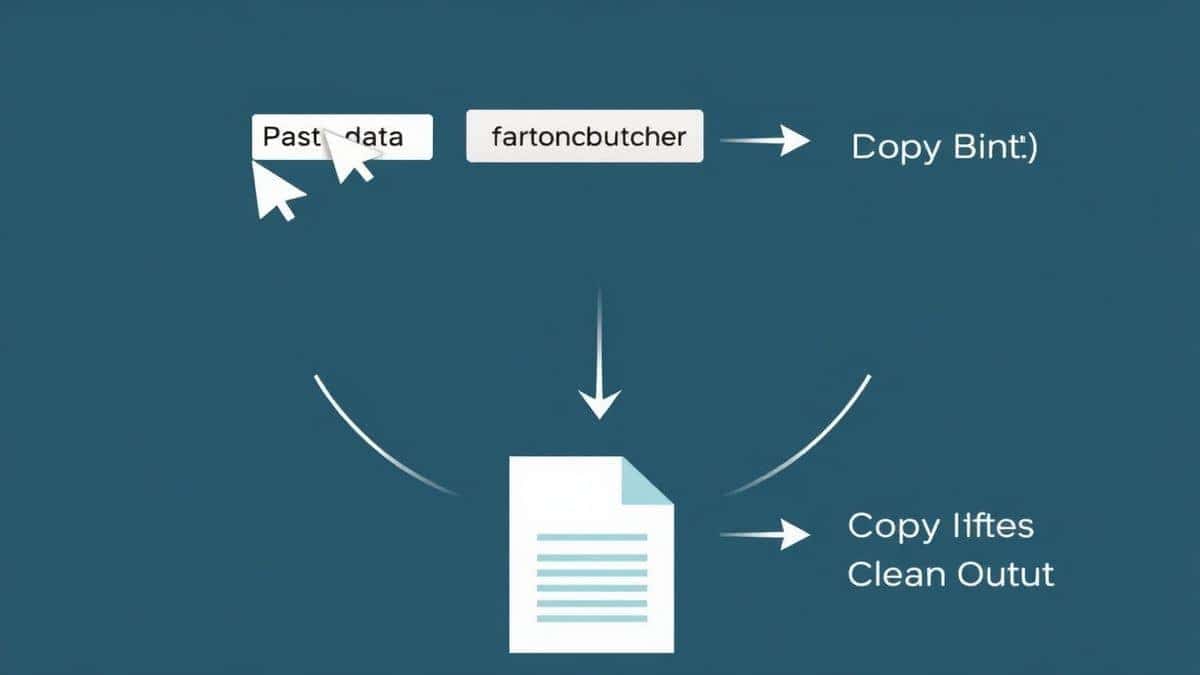
Step 1: Access the Tool
Open your browser and navigate to https://converttool.org/jpg-tools/jpg-to-gif. No login or signup is required.
Step 2: Upload Your JPG Files
You will see a clear upload area. Click to select files from your computer, or simply drag and drop your images directly into the box. Ensure your images are named in the order you want them to appear in the animation (e.g., frame-01.jpg, frame-02.jpg).
Step 3: Configure the Settings
Before converting, you can usually adjust settings. The most important one is Frame Delay or Speed. This controls how long each image is displayed. A lower delay (faster speed) creates a smoother, quicker animation.
Step 4: Convert and Process
Click the "Convert" or "Create GIF" button. The tool will process your images, combining them into a single animated file. From my testing, this step rarely takes more than a few seconds for standard-resolution images.
Step 5: Download Your GIF
Once processing is complete, a preview of your GIF will appear. Click the "Download" button to save the file to your device. You can now embed it in your documentation, share it with your team, or use it in your project.
 converttool.org interface"
title="A four-panel image showing the upload, settings, processing, and download steps on the converttool.org interface"
loading="lazy"
width="1200"
height="675"
class="blog-image"
/>
converttool.org interface"
title="A four-panel image showing the upload, settings, processing, and download steps on the converttool.org interface"
loading="lazy"
width="1200"
height="675"
class="blog-image"
/>
Real Use Cases for Developers and Analysts
The versatility of a free JPG to GIF Converter - Convert JPG Images to GIF Online tool extends beyond simple memes. Here are practical applications in a technical workflow:
- Front-End Developers: Showcasing hover states, dropdown menus, or mobile gestures in a component library. Instead of linking to a live version, a GIF demonstrates the interaction directly in the documentation.
- Data Analysts: Creating time-lapse GIFs from a series of JPG charts to show data trends over a period (e.g., a heat map changing by the hour).
- QA Engineers: Recording a bug by taking rapid screenshots of a failed test sequence and converting them to a GIF to attach to a ticket in Jira or GitHub.
- DevOps: Visualizing server deployment statuses or monitoring dashboards that change over time, creating a quick animated summary.
- Content Creators: Converting Markdown notes with embedded image references into a visual guide.
Pro Tips for Perfect GIF Conversion
To ensure you get the best results from your JPG to GIF Converter - Convert JPG Images to GIF Online guide, keep these professional tips in mind:
- Optimize Source Images: Before uploading, ensure all your JPGs are the same dimensions. Different sized images will cause the GIF to jump and look unprofessional. Use a batch image resizer if necessary.
- Mind the Color Palette: Since GIFs are 256 colors, images with gradients (like skies or shadows) may look banded. For UI elements with solid colors, this isn't an issue.
- Limit the Number of Frames: More frames mean a larger file size and a longer animation. For a UI demo, 5-10 frames are often enough to get the point across. For a complex bug, you might need more.
- Test the Loop: Most GIFs are set to loop infinitely. Watch your final product a few times to ensure the transition from the last frame back to the first is smooth and not jarring.
- Check File Size: A 10MB GIF can slow down a web page. Use the tool's optimization features to reduce the color depth or dimensions if the file is too large.
Common Mistakes to Avoid
Even with a great tool, errors can happen. Here are common pitfalls when you fix JPG to GIF Converter - Convert JPG Images to GIF Online errors:
- Using the Wrong Tool Type: Don't use a single-image converter if you need an animation. You need a tool specifically designed to merge multiple images into a GIF.
- Ignoring File Order: If you upload
image-2.jpgand thenimage-1.jpg, your animation will play out of order. Pay attention to the sequence. - Overlooking Compression: Uploading massive, high-resolution JPGs will result in a massive GIF. Resize them for web use first.
- Forgetting About Encoding: Ensure your source files are standard JPGs. Corrupted or oddly encoded files might cause the converter to fail.
- Relying on Local Software: One common issue is that complex software like Photoshop is overkill for simple tasks. It’s faster to use an online tool than to wait for a desktop app to launch and navigate its menus.
Comparison with Other Tools
Why choose an online converter like ConvertTool over other methods? Let's break it down.
| Feature | Local Software (e.g., Photoshop) | Other Online Tools | ConvertTool.org JPG to GIF Converter |
|---|---|---|---|
| Installation | Required, takes up disk space | None | None |
| Cost | Expensive subscription | Often Freemium with limits | Completely Free |
| Learning Curve | Steep; requires tutorials | Moderate; varies by site | Beginner-Friendly |
| Processing Speed | Depends on local machine | Fast, but often has queues | Instant Processing |
| Privacy | Local files are safe | Varies; some store your data | Browser-based, secure |
| Use Case | Professional photo editing | Quick conversions | Developer/Data Tools |
While other tools might offer more bells and whistles, they often come with restrictions like daily conversion limits, watermarks, or complex interfaces. For a developer who needs a JPG to GIF Converter - Convert JPG Images to GIF Online without software hassle, a dedicated, free tool is the most efficient path.
FAQ
What is JPG to GIF Converter - Convert JPG Images to GIF Online?
It is a web-based utility that takes one or more JPG image files and converts them into a single GIF file. If multiple images are used, they become frames in an animation.
How to use JPG to GIF Converter - Convert JPG Images to GIF Online online?
Simply go to the tool's website (like converttool.org/jpg-tools/jpg-to-gif), upload your JPG files, adjust the animation speed, and click the convert button. Download the resulting GIF.
Is it free?
Yes, the tool highlighted in this guide at converttool.org is completely free to use with no hidden charges or subscription fees.
Is it safe to convert JPG to GIF online?
With a reputable tool like ConvertTool, yes. Your files are processed securely, and typically, uploaded files are deleted from their servers shortly after conversion. Always check the privacy policy of any online tool.
Do I need coding skills to use a JPG to GIF converter?
No. These tools are designed with a simple, visual interface. Anyone can upload images and download the result without writing a single line of code. It’s a JPG to GIF Converter - Convert JPG Images to GIF Online example of user-centric design.
Can beginners use it?
Absolutely. The interface is intuitive. If you can drag and drop a file, you can use this tool. It’s designed to be a JPG to GIF Converter - Convert JPG Images to GIF Online for dummies as much as for pros.
How to fix JPG to GIF Converter - Convert JPG Images to GIF Online errors?
Most errors stem from the source files. Ensure your JPGs are not corrupted, are all the same size, and are named in the correct order. If the tool fails, try reducing the number of frames or the resolution of your images.
Can I convert a single JPG to an animated GIF?
No. An animation requires multiple frames. Converting a single JPG to GIF will just give you a static image in the GIF format.
Conclusion
In a world where digital communication is key, static images often fall short. Whether you are documenting a complex API's front-end behavior, reporting a critical bug, or just trying to add a touch of motion to a presentation, knowing how to efficiently use a JPG to GIF Converter - Convert JPG Images to GIF Online is an essential skill.
It bridges the gap between raw visual data and engaging, informative content. By using a tool that is free, fast, and respects your time and privacy, you eliminate the friction from your workflow. In my experience, the simplicity of a tool like the one at https://converttool.org/jpg-tools/jpg-to-gif is exactly what a busy developer needs.
Don't let complex software or slow workflows slow you down. Try the free JPG to GIF Converter - Convert JPG Images to GIF Online tool today and turn your static screenshots into dynamic, shareable animations in seconds. Your documentation—and your team—will thank you.