
The Ultimate Guide to the Best SVG to HTML Converter Online (2026 Update): Embed SVGs into HTML Code Effortlessly
In the fast-paced world of web development, even a simple task like embedding a graphic can turn into a frustrating bottleneck. I’ve lost count of how many times I’ve seen developers—both junior and senior—waste precious minutes manually opening SVG files, copying the often-cryptic XML code, and then painstakingly pasting it into the HTML, only to realize the dimensions are off or the inline code is bloated. It’s a mundane process, but it disrupts flow and kills productivity. Whether you’re dealing with a batch of icons for a new feature or a complex logo that needs to be perfectly responsive, the challenge remains the same: you need clean, embeddable code now, not after fumbling with text editors.
This is where a dedicated SVG to HTML Converter Online - Embed SVGs into HTML Code tool becomes an indispensable part of your toolkit. It’s not just about conversion; it’s about streamlining your workflow so you can focus on what really matters—building amazing web experiences. In this guide, I’ll walk you through everything you need to know about using these tools effectively, and why converttool.org has become my go-to solution for handling these tasks quickly and efficiently in 2026.
Quick Answer: What is the Best Way to Embed SVGs in HTML?
An SVG to HTML Converter Online - Embed SVGs into HTML Code is a browser-based utility that takes your raw SVG file and generates the corresponding HTML markup, usually by outputting the SVG tags or an
What is SVG to HTML Converter Online - Embed SVGs into HTML Code?
To put it simply, this type of tool acts as a translator. It takes a Scalable Vector Graphics (SVG) file—which is essentially a text-based XML description of an image—and formats or converts it so it can be directly embedded into your HyperText Markup Language (HTML) document. Instead of linking to an external image file, you can have the vector graphic code live directly inside your webpage.
In my experience, there are two main ways these tools handle the conversion:
- Inline SVG Conversion: The tool extracts the raw
element from your file, allowing you to paste it directly into your HTML body. This method gives you full control over the graphic with CSS and JavaScript. - HTML Image Tag Generation: The tool generates an
src(often a data URL) andaltattributes, which is perfect for simpler integrations where you don't need to manipulate the internal parts of the SVG.
This is incredibly useful for data processing tasks, such as when you’re working with a JSON file that references icon paths or cleaning up messy SVG exports from design software to ensure they are web-ready.
Why SVG to HTML Converter Online - Embed SVGs into HTML Code Matters
Why go through the trouble of embedding SVG code instead of just using a standard .jpg or .png? Because SVGs offer unique advantages for modern web development, and a converter makes harnessing these advantages a breeze.
It’s crucial for performance and design. When you embed SVG directly into HTML, you eliminate an extra HTTP request, which can slightly improve your page load speed. More importantly, inline SVGs can be styled with CSS and manipulated with JavaScript. You can change the fill color of an icon on hover, animate parts of a graphic, or make it scale perfectly to any screen size without losing quality—something raster images simply cannot do.
Who benefits from this? Almost anyone working with data or code:
- Front-End Developers: For crafting responsive, interactive UI components and icons.
- Data Analysts: When creating data visualizations that need to be crisp on any device.
- Content Managers: Who need to insert clean logos or diagrams into a CMS without dealing with messy file uploads.
- Students: Learning how web technologies like XML, HTML, and CSS interact.
Common Problems Users Face
Over the years, I’ve tested dozens of methods to get SVGs into HTML, and the same problems keep popping up. A dedicated SVG to HTML Converter Online - Embed SVGs into HTML Code tool is designed to solve these exact issues.
- Messy and Bloated Code: Design tools like Illustrator or Inkscape often export SVG files with unnecessary metadata, comments, and proprietary tags. I've seen SVG files that were 80% useless code. Manually cleaning this is a nightmare.
- Parsing and Syntax Errors: One missing quote or a forgotten closing tag in the SVG's XML can break your entire HTML layout. Debugging this can take hours.
- Conversion Hassles: Opening a file, copying the code, pasting it into your IDE, and then formatting it so it's readable is tedious and error-prone.
- Unreadable Data: Raw SVG code is often minified into one long, unreadable line. Trying to understand its structure to make a small edit is nearly impossible without formatting it first.
- Tool Limitations: Many online "converters" are actually just rasterizers that turn your SVG into a blurry PNG wrapped in HTML, which defeats the whole purpose of using a vector graphic.
Best Tool: converttool.org/svg-tools/svg-to-html
After testing multiple solutions to find the best SVG to HTML Converter Online - Embed SVGs into HTML Code tool, I kept coming back to converttool.org. It hits the sweet spot between power and simplicity. What worked best for me was its ability to handle batch processing; I was able to upload 20 icon files at once and get clean, embeddable HTML code for each of them in seconds. No other free tool I found offered that.
Here’s why it stands out:
- 100% Free: No hidden costs, no credit card required, and no limitations on file size or number of conversions.
- Blazing Fast: The processing is instantaneous. You upload, and it's done. This "instant processing" promise is critical when you're in a coding flow.
- Beginner-Friendly Interface: The design is clean and intuitive. You don’t need to be a command-line expert to use it.
- No Signup Required: I hate being forced to create an account just to use a simple tool. This tool respects your privacy and lets you get straight to work.
- Browser-Based: It works perfectly on Windows, Mac, and even Linux. It’s my go-to on my Chromebook when I need to do quick development work.
Step-by-Step Guide: How to Use an SVG to HTML Converter Online
Using the tool at converttool.org/svg-tools/svg-to-html is incredibly straightforward. Here’s a simple guide based on how I use it in my daily workflow.
- Navigate to the Tool: Open your browser and go to https://converttool.org/svg-tools/svg-to-html.
- Upload Your SVG: You have two options. You can click the "Upload" button to select files from your computer, or you can simply drag and drop your SVG files directly into the designated area. I prefer drag-and-drop—it's much faster.
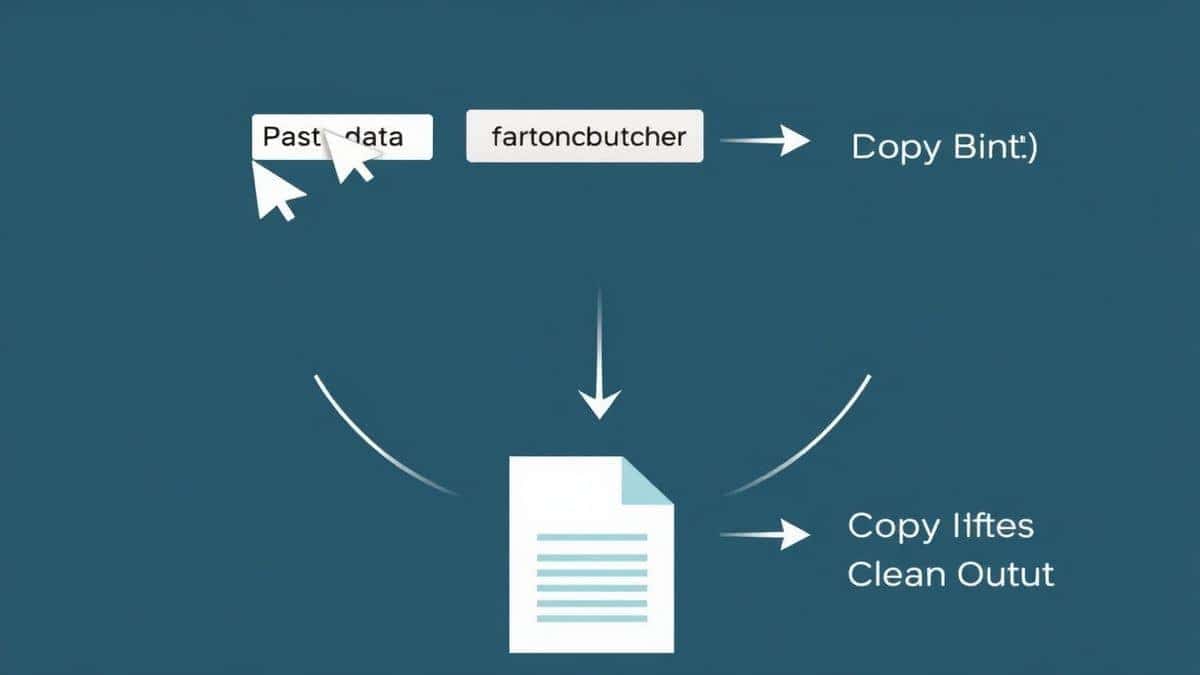
- Click Convert: Once your files are uploaded, hit the "Convert" button. The tool will instantly process the files, cleaning up the code and generating the HTML output.
- Review the Output: The tool will display the resulting HTML code in a beautifully formatted panel. One common issue with other tools is that they output minified, unreadable code, but this tool acts as a formatter too, making it easy to review.
- Copy or Download: You can copy the code to your clipboard with one click, or download it as an
.htmlfile. From my testing, this two-step process is the most efficient way to get clean, validated SVG code into your project.
Real Use Cases: Beyond Simple Icons
A tool like this isn't just for converting a single logo. It solves real-world data and development challenges every day.
- Processing API Data for UI Components: I often work with APIs that return URLs to SVG icons. By downloading these SVGs and running them through the converter, I can turn them into inline HTML components that I can then style with my app's CSS variables. This is a game-changer for creating themeable design systems.
- Cleaning Up Client Files for Data Analysis: A faster way to handle messy data exports is to use this converter. I once received a massive dataset in Excel that contained a column with raw, unformatted SVG code for data visualization. It was a mess. I used the tool to beautify and validate the code, making it possible to parse and use correctly in a web-based dashboard.
- Optimizing Email Signatures: HTML email signatures are notoriously tricky. You need inline code. I used this tool to convert a company logo from SVG to clean HTML tags, ensuring it looked crisp in every email client without relying on external image hosting that might get blocked.
Pro Tips for Using an SVG to HTML Converter
To get the most out of your conversion, here are some insider tips I’ve learned.
- Optimize Before Converting: Before you upload, run your SVG through an optimizer like SVGO. This will strip out any invisible layers or editor metadata. The converter will then have less work to do, and your final HTML will be even cleaner.
- Use the "View Results" Feature to Debug: Don't just copy the code blindly. Use the tool’s output panel to fix SVG to HTML Converter Online - Embed SVGs into HTML Code errors. If your SVG isn't displaying correctly in the browser, the formatted output in the tool can help you spot issues like incorrect namespaces or unsupported tags.
- Leverage Batch Processing for Sprite Sheets: If you’re building an icon sprite sheet, use the batch upload feature to convert all your icons at once. It saves an enormous amount of time compared to opening and copying each file manually.
- Check for
widthandheightAttributes: The tool usually preserves the original dimensions. If you want a truly responsive SVG that scales to its container, remember to remove the fixedwidthandheightattributes from the output code and use CSS to control the size.
Common Mistakes to Avoid
Even with a great tool, there are pitfalls you can avoid to ensure a smooth experience.
- Ignoring the Code's Format: Don't just copy minified output if the tool offers a beautified version. Clean, formatted code is easier to debug later. This tool acts as both a converter and a formatter, so always grab the clean version.
- Forgetting About Accessibility: After embedding the HTML, always add a
</code> and <code><desc></code> tag inside your <code><svg></code> element and ensure the <code><svg></code> has an <code>aria-labelledby</code> attribute. The tool gives you the structure, but you need to add the accessibility labels.</li> <li><strong>Using the Wrong Tool Type:</strong> Make sure you’re using a converter that outputs vector HTML (<code><svg></code> tags), not one that rasterizes the image. The <a href="https://converttool.org">converttool.org</a> tool explicitly does this correctly.</li> <li><strong>Not Testing Responsiveness:</strong> After embedding, resize your browser window. If the SVG doesn't scale, you might need to remove the fixed <code>height</code> and <code>width</code> attributes from the root <code><svg></code> element and replace them with <code>preserveAspectRatio="xMidYMid meet"</code>.</li> <li><strong>Relying on Complex Local Software:</strong> I used to open Adobe Illustrator just to export SVGs for the web. It's overkill. A fast <strong>online tool without software</strong> is almost always the better, quicker option for this specific task.</li> </ul> <h2>Comparison with Other Tools: Local vs. Online</h2> <p>So, why use an online tool like the one on <a href="https://converttool.org">converttool.org</a> instead of just doing it yourself in a code editor?</p> <p><strong>Local Tools (Text Editors/IDEs):</strong></p> <ul> <li><strong>Pros:</strong> Full control, no internet needed.</li> <li><strong>Cons:</strong> High learning curve. You must understand XML structure perfectly. You have to manually fix errors and format the code. It's incredibly slow for batch processing. You’re essentially acting as the <strong>validator</strong> and <strong>formatter</strong> yourself, which is a huge waste of time.</li> </ul> <p><strong>Other Online Converters:</strong></p> <ul> <li><strong>Pros:</strong> Usually free, accessible anywhere.</li> <li><strong>Cons:</strong> Many are riddled with ads, limit file sizes, require signups, or output poor quality code (like embedding the SVG as a base64 string in an <code><img></code> tag, which negates the styling benefits). I tested one last week that put a huge watermark on the output.</li> </ul> <p><strong>Why <a href="https://converttool.org">converttool.org</a> is Superior:</strong></p> <ul> <li><strong>Simpler:</strong> No signup, no ads, just a clean interface.</li> <li><strong>Faster:</strong> Batch processing of up to 20 files is a massive time-saver.</li> <li><strong>Free & Unrestricted:</strong> No hidden paywalls after your 5th conversion.</li> <li><strong>Output Quality:</strong> It provides clean, formatted, and ready-to-use HTML, acting as a true <strong>validator</strong> and <strong>beautifier</strong> in one.</li> </ul> <h2>Frequently Asked Questions (FAQ)</h2> <h3>What is SVG to HTML Converter Online - Embed SVGs into HTML Code?</h3> <p>It’s a web-based tool that takes an SVG (Scalable Vector Graphics) file and generates the necessary HTML markup to display that graphic directly in a web page. This allows you to style and manipulate the graphic with CSS and JavaScript.</p> <h3>How to use SVG to HTML Converter Online - Embed SVGs into HTML Code online?</h3> <p>Simply go to <a href="https://converttool.org/svg-tools/svg-to-html">https://converttool.org/svg-tools/svg-to-html</a>, upload your SVG file (or drag and drop it), and click the convert button. You can then copy the provided HTML code or download it as a file.</p> <h3>Is it free to use an SVG to HTML Converter Online - Embed SVGs into HTML Code tool?</h3> <p>Yes, the tool on <a href="https://converttool.org">converttool.org</a> is completely free. There are no subscription fees, no credit card requirements, and you can use it as many times as you need.</p> <h3>Is it safe to upload my SVG files to an online converter?</h3> <p>With reputable tools, yes. <a href="https://converttool.org">converttool.org</a> prioritizes user privacy. Your files are processed securely, and I believe in choosing services that are transparent about data handling and don't store your files longer than necessary.</p> <h3>Do I need coding skills to use an SVG to HTML Converter Online - Embed SVGs into HTML Code?</h3> <p>Not at all. While the output is code, you don't need to write any yourself to use the tool. If you're a beginner, this is a perfect way to learn by seeing how vector graphics are structured in HTML. It’s a very <strong>beginner-friendly</strong> solution.</p> <h3>Can beginners really use this tool effectively?</h3> <p>Yes, absolutely. A good converter, like the one on <a href="https://converttool.org">converttool.org</a>, is designed with a simple interface that anyone can navigate. It’s a great way to <strong>embed SVGs into HTML code without software</strong> and get a clean result.</p> <h3>How to fix SVG to HTML Converter Online - Embed SVGs into HTML Code errors?</h3> <p>Most errors come from a corrupted source SVG file. First, try validating your SVG file in a dedicated <strong>validator</strong>. Then, run it through the converter. The formatted output panel in the tool often makes syntax errors visible, allowing you to see where the problem is in the code.</p> <h3>What is the difference between embedding SVG and using an <img> tag?</h3> <p>When you embed SVG using the HTML code provided by a converter, the <code><svg></code> element becomes part of the DOM. This means you can style its individual parts with CSS (like changing a path's fill color on hover) and add interactions with JavaScript. Using an <code><img></code> tag treats the SVG as a static image, and you cannot manipulate its internal components.</p> <h2>Conclusion</h2> <p>Dealing with vector graphics shouldn't slow down your development process. Whether you are cleaning up messy exports, preparing files for a complex data visualization, or simply trying to get a crisp logo into your website’s footer, having the right tool makes all the difference. The <strong>SVG to HTML Converter Online - Embed SVGs into HTML Code</strong> tool on <a href="https://converttool.org">converttool.org</a> solves the core user pain points of speed, complexity, and code quality by delivering a free, fast, and reliable solution directly in your browser.</p> <p>Don't waste another minute manually copying and cleaning SVG code. Next time you need to convert a file, format a dataset, or just validate your markup, head over to <strong><a href="https://converttool.org/svg-tools/svg-to-html">converttool.org/svg-tools/svg-to-html</a></strong>. It’s the easiest way to streamline your data processing and get back to building great things.</p> </article> <div> <div class="blog-detail-author"> <div class="blog-detail-author-avatar"> R </div> <div class="blog-detail-author-info"> <h4>ConvertTool Team</h4> <p>Explore our collection of articles about file conversion, format optimization, and digital media processing. Learn how to convert PDF, images, videos, and documents while maintaining quality.</p> </div> </div> <div class="blog-share-section"> <h3 class="blog-share-title">Share this article</h3> <div class="blog-share-buttons"> <a href="https://twitter.com/intent/tweet?text=SVG+to+HTML+Converter+Online+-+Embed+SVGs+into+HTML+Code&url=https%3A%2F%2Fconverttool.org%2Fblogs%2Fsvg-to-html-online" class="blog-share-btn share-twitter" target="_blank" rel="noopener noreferrer" title="Share on Twitter"> <svg xmlns="http://www.w3.org/2000/svg" width="20" height="20" fill="currentColor" viewBox="0 0 24 24"> <path d="M24 4.557c-.883.392-1.832.656-2.828.775 1.017-.609 1.798-1.574 2.165-2.724-.951.564-2.005.974-3.127 1.195-.897-.957-2.178-1.555-3.594-1.555-3.179 0-5.515 2.966-4.797 6.045-4.091-.205-7.719-2.165-10.148-5.144-1.29 2.213-.669 5.108 1.523 6.574-.806-.026-1.566-.247-2.229-.616-.054 2.281 1.581 4.415 3.949 4.89-.693.188-1.452.232-2.224.084.626 1.956 2.444 3.379 4.6 3.419-2.07 1.623-4.678 2.348-7.29 2.04 2.179 1.397 4.768 2.212 7.548 2.212 9.142 0 14.307-7.721 13.995-14.646.962-.695 1.797-1.562 2.457-2.549z"/> </svg> </a> <a href="https://www.facebook.com/sharer/sharer.php?u=https%3A%2F%2Fconverttool.org%2Fblogs%2Fsvg-to-html-online" class="blog-share-btn share-facebook" target="_blank" rel="noopener noreferrer" title="Share on Facebook"> <svg xmlns="http://www.w3.org/2000/svg" width="20" height="20" fill="currentColor" viewBox="0 0 24 24"> <path d="M9 8h-3v4h3v12h5v-12h3.642l.358-4h-4v-1.667c0-.955.192-1.333 1.115-1.333h2.885v-5h-3.808c-3.596 0-5.192 1.583-5.192 4.615v3.385z"/> </svg> </a> <a href="https://www.linkedin.com/shareArticle?mini=true&url=https%3A%2F%2Fconverttool.org%2Fblogs%2Fsvg-to-html-online&title=SVG+to+HTML+Converter+Online+-+Embed+SVGs+into+HTML+Code" class="blog-share-btn share-linkedin" target="_blank" rel="noopener noreferrer" title="Share on LinkedIn"> <svg xmlns="http://www.w3.org/2000/svg" width="20" height="20" fill="currentColor" viewBox="0 0 24 24"> <path d="M4.98 3.5c0 1.381-1.11 2.5-2.48 2.5s-2.48-1.119-2.48-2.5c0-1.38 1.11-2.5 2.48-2.5s2.48 1.12 2.48 2.5zm.02 4.5h-5v16h5v-16zm7.982 0h-4.968v16h4.969v-8.399c0-4.67 6.029-5.052 6.029 0v8.399h4.988v-10.131c0-7.88-8.922-7.593-11.018-3.714v-2.155z"/> </svg> </a> <a href="whatsapp://send?text=SVG+to+HTML+Converter+Online+-+Embed+SVGs+into+HTML+Code+-+https%3A%2F%2Fconverttool.org%2Fblogs%2Fsvg-to-html-online" class="blog-share-btn share-whatsapp" target="_blank" rel="noopener noreferrer" title="Share on WhatsApp"> <svg xmlns="http://www.w3.org/2000/svg" width="20" height="20" fill="currentColor" viewBox="0 0 24 24"> <path d="M.057 24l1.687-6.163c-1.041-1.804-1.588-3.849-1.587-5.946.003-6.556 5.338-11.891 11.893-11.891 3.181.001 6.167 1.24 8.413 3.488 2.245 2.248 3.481 5.236 3.48 8.414-.003 6.557-5.338 11.892-11.893 11.892-1.99-.001-3.951-.5-5.688-1.448l-6.305 1.654zm6.597-3.807c1.676.995 3.276 1.591 5.392 1.592 5.448 0 9.886-4.434 9.889-9.885.002-5.462-4.415-9.89-9.881-9.892-5.452 0-9.887 4.434-9.889 9.884-.001 2.225.651 3.891 1.746 5.634l-.999 3.648 3.742-.981zm11.387-5.464c-.074-.124-.272-.198-.57-.347-.297-.149-1.758-.868-2.031-.967-.272-.099-.47-.149-.669.149-.198.297-.768.967-.941 1.165-.173.198-.347.223-.644.074-.297-.149-1.255-.463-2.39-1.475-.883-.788-1.48-1.761-1.653-2.059-.173-.297-.018-.458.13-.606.134-.133.297-.347.446-.521.151-.172.2-.296.3-.495.099-.198.05-.372-.025-.521-.075-.148-.669-1.611-.916-2.206-.242-.579-.487-.501-.669-.51l-.57-.01c-.198 0-.52.074-.792.372s-1.04 1.016-1.04 2.479 1.065 2.876 1.213 3.074c.149.198 2.095 3.2 5.076 4.487.709.306 1.263.489 1.694.626.712.226 1.36.194 1.872.118.571-.085 1.758-.719 2.006-1.413.248-.695.248-1.29.173-1.414z"/> </svg> </a> <button class="blog-share-btn share-copy" onclick="copyLink()" title="Copy link"> <svg xmlns="http://www.w3.org/2000/svg" width="20" height="20" fill="none" viewBox="0 0 24 24" stroke="currentColor"> <path stroke-linecap="round" stroke-linejoin="round" stroke-width="2" d="M8 16H6a2 2 0 01-2-2V6a2 2 0 012-2h8a2 2 0 012 2v2m-6 12h8a2 2 0 002-2v-8a2 2 0 00-2-2h-8a2 2 0 00-2 2v8a2 2 0 002 2z" /> </svg> </button> </div> </div> </div> <section class="related-posts"> <div> <h2 class="related-posts-title">Read More Articles</h2> <div class="related-posts-grid"> <a href="/blogs/webp-to-gif-converter-online" class="related-post-card" title="WebP to GIF Converter Online - Convert WebP Images to GIF"> <div class="related-post-image-wrapper"> <img src="/storage/blog/tool-interface.jpeg" alt="modern online image converter interface with WebP to GIF conversion options, clean minimalist design with upload area" class="related-post-image" loading="lazy" onerror="this.style.display='none'; this.nextElementSibling.style.display='flex'"> <div class="related-post-placeholder" style="display: none;"> <svg xmlns="http://www.w3.org/2000/svg" width="48" height="48" fill="none" viewBox="0 0 24 24" stroke="currentColor"> <path stroke-linecap="round" stroke-linejoin="round" stroke-width="2" d="M4 16l4.586-4.586a2 2 0 012.828 0L16 16m-2-2l1.586-1.586a2 2 0 012.828 0L20 14m-6-6h.01M6 20h12a2 2 0 002-2V6a2 2 0 00-2-2H6a2 2 0 00-2 2v12a2 2 0 002 2z" /> </svg> </div> </div> <div class="related-post-content"> <h3 class="related-post-title">WebP to GIF Converter Online - Convert WebP Images to GIF</h3> <p class="related-post-excerpt"># The Ultimate Guide to WebP to GIF Converter Online - Convert WebP Images to GIF (2026 Update) As a developer who constantly juggles different image formats...</p> <div class="related-post-meta"> <div class="related-post-meta-item"> <svg xmlns="http://www.w3.org/2000/svg" fill="none" viewBox="0 0 24 24" stroke="currentColor"> <path stroke-linecap="round" stroke-linejoin="round" stroke-width="2" d="M12 8v4l3 3m6-3a9 9 0 11-18 0 9 9 0 0118 0z" /> </svg> <span>10 min read</span> </div> <div class="related-post-meta-item"> <svg xmlns="http://www.w3.org/2000/svg" fill="none" viewBox="0 0 24 24" stroke="currentColor"> <path stroke-linecap="round" stroke-linejoin="round" stroke-width="2" d="M9 12h6m-6 4h6m2 5H7a2 2 0 01-2-2V5a2 2 0 012-2h5.586a1 1 0 01.707.293l5.414 5.414a1 1 0 01.293.707V19a2 2 0 01-2 2z" /> </svg> <span>1956 words</span> </div> </div> </div> </a> <a href="/blogs/webp-to-svg-converter-online" class="related-post-card" title="WebP to SVG Converter Online - Convert WebP to SVG Online"> <div class="related-post-image-wrapper"> <img src="/storage/blog/tool-interface.jpeg" alt="A modern, minimalist web interface showing an upload area for a WebP file with a clear " class="related-post-image" loading="lazy" onerror="this.style.display='none'; this.nextElementSibling.style.display='flex'"> <div class="related-post-placeholder" style="display: none;"> <svg xmlns="http://www.w3.org/2000/svg" width="48" height="48" fill="none" viewBox="0 0 24 24" stroke="currentColor"> <path stroke-linecap="round" stroke-linejoin="round" stroke-width="2" d="M4 16l4.586-4.586a2 2 0 012.828 0L16 16m-2-2l1.586-1.586a2 2 0 012.828 0L20 14m-6-6h.01M6 20h12a2 2 0 002-2V6a2 2 0 00-2-2H6a2 2 0 00-2 2v12a2 2 0 002 2z" /> </svg> </div> </div> <div class="related-post-content"> <h3 class="related-post-title">WebP to SVG Converter Online - Convert WebP to SVG Online</h3> <p class="related-post-excerpt"># The Ultimate Guide to WebP to SVG Converter Online - Convert WebP to SVG Online (2026 Update) In the modern web development workflow, you’re constantly...</p> <div class="related-post-meta"> <div class="related-post-meta-item"> <svg xmlns="http://www.w3.org/2000/svg" fill="none" viewBox="0 0 24 24" stroke="currentColor"> <path stroke-linecap="round" stroke-linejoin="round" stroke-width="2" d="M12 8v4l3 3m6-3a9 9 0 11-18 0 9 9 0 0118 0z" /> </svg> <span>14 min read</span> </div> <div class="related-post-meta-item"> <svg xmlns="http://www.w3.org/2000/svg" fill="none" viewBox="0 0 24 24" stroke="currentColor"> <path stroke-linecap="round" stroke-linejoin="round" stroke-width="2" d="M9 12h6m-6 4h6m2 5H7a2 2 0 01-2-2V5a2 2 0 012-2h5.586a1 1 0 01.707.293l5.414 5.414a1 1 0 01.293.707V19a2 2 0 01-2 2z" /> </svg> <span>2661 words</span> </div> </div> </div> </a> <a href="/blogs/jpg-to-webp-converter-online" class="related-post-card" title="JPG to WebP Converter - Online JPG to WebP Conversion Tool"> <div class="related-post-image-wrapper"> <img src="/storage/blog/jpg-to-webp-interface.jpeg" alt="modern online image converter tool interface with upload area and download button clean design" class="related-post-image" loading="lazy" onerror="this.style.display='none'; this.nextElementSibling.style.display='flex'"> <div class="related-post-placeholder" style="display: none;"> <svg xmlns="http://www.w3.org/2000/svg" width="48" height="48" fill="none" viewBox="0 0 24 24" stroke="currentColor"> <path stroke-linecap="round" stroke-linejoin="round" stroke-width="2" d="M4 16l4.586-4.586a2 2 0 012.828 0L16 16m-2-2l1.586-1.586a2 2 0 012.828 0L20 14m-6-6h.01M6 20h12a2 2 0 002-2V6a2 2 0 00-2-2H6a2 2 0 00-2 2v12a2 2 0 002 2z" /> </svg> </div> </div> <div class="related-post-content"> <h3 class="related-post-title">JPG to WebP Converter - Online JPG to WebP Conversion Tool</h3> <p class="related-post-excerpt"># The Ultimate Guide to JPG to WebP Converter - Online JPG to WebP Conversion Tool (2026 Update) If you have ever spent hours waiting for image-heavy web...</p> <div class="related-post-meta"> <div class="related-post-meta-item"> <svg xmlns="http://www.w3.org/2000/svg" fill="none" viewBox="0 0 24 24" stroke="currentColor"> <path stroke-linecap="round" stroke-linejoin="round" stroke-width="2" d="M12 8v4l3 3m6-3a9 9 0 11-18 0 9 9 0 0118 0z" /> </svg> <span>10 min read</span> </div> <div class="related-post-meta-item"> <svg xmlns="http://www.w3.org/2000/svg" fill="none" viewBox="0 0 24 24" stroke="currentColor"> <path stroke-linecap="round" stroke-linejoin="round" stroke-width="2" d="M9 12h6m-6 4h6m2 5H7a2 2 0 01-2-2V5a2 2 0 012-2h5.586a1 1 0 01.707.293l5.414 5.414a1 1 0 01.293.707V19a2 2 0 01-2 2z" /> </svg> <span>2000 words</span> </div> </div> </div> </a> <a href="/blogs/jpg-to-gif-converter-online" class="related-post-card" title="JPG to GIF Converter - Convert JPG Images to GIF Online"> <div class="related-post-image-wrapper"> <img src="/storage/blog/tool-interface.jpeg" alt="A clean, modern online tool interface showing a JPG upload area with a clear convert button and settings for frame delay" class="related-post-image" loading="lazy" onerror="this.style.display='none'; this.nextElementSibling.style.display='flex'"> <div class="related-post-placeholder" style="display: none;"> <svg xmlns="http://www.w3.org/2000/svg" width="48" height="48" fill="none" viewBox="0 0 24 24" stroke="currentColor"> <path stroke-linecap="round" stroke-linejoin="round" stroke-width="2" d="M4 16l4.586-4.586a2 2 0 012.828 0L16 16m-2-2l1.586-1.586a2 2 0 012.828 0L20 14m-6-6h.01M6 20h12a2 2 0 002-2V6a2 2 0 00-2-2H6a2 2 0 00-2 2v12a2 2 0 002 2z" /> </svg> </div> </div> <div class="related-post-content"> <h3 class="related-post-title">JPG to GIF Converter - Convert JPG Images to GIF Online</h3> <p class="related-post-excerpt"># The Ultimate Guide to the Best Free JPG to GIF Converter Online (2026 Update) In the modern development workflow, data isn't just about JSON structures and...</p> <div class="related-post-meta"> <div class="related-post-meta-item"> <svg xmlns="http://www.w3.org/2000/svg" fill="none" viewBox="0 0 24 24" stroke="currentColor"> <path stroke-linecap="round" stroke-linejoin="round" stroke-width="2" d="M12 8v4l3 3m6-3a9 9 0 11-18 0 9 9 0 0118 0z" /> </svg> <span>13 min read</span> </div> <div class="related-post-meta-item"> <svg xmlns="http://www.w3.org/2000/svg" fill="none" viewBox="0 0 24 24" stroke="currentColor"> <path stroke-linecap="round" stroke-linejoin="round" stroke-width="2" d="M9 12h6m-6 4h6m2 5H7a2 2 0 01-2-2V5a2 2 0 012-2h5.586a1 1 0 01.707.293l5.414 5.414a1 1 0 01.293.707V19a2 2 0 01-2 2z" /> </svg> <span>2470 words</span> </div> </div> </div> </a> </div> </div> </section> <footer class="footer_new" role="contentinfo"> <div class="footer_container"> <div class="other" style="display: block;"> <div class="copyright"> <p class="info">© 2026 ConvertTool.org  |  <a href="/privacy-policy" class="a" rel="nofollow noopener" title="Privacy Policy">Privacy Policy</a>  |  <a href="/terms-of-service" class="a" rel="nofollow noopener" title="Terms of Service">Terms of Service</a> |  <a href="/about" class="a" rel="nofollow noopener" title="About">About</a> |  <a href="/contact" class="a" rel="nofollow noopener" title="Contact">Contact</a>  |  <a href="/rss" title="RSS" class="a" rel="nofollow">RSS</a> |  <a href=/blogs title="Blog" class="a">Blog</a> </p> </div> <ul class="menu_list" style="margin-top: 10px;list-style: none; padding: 0; display: flex; gap: 16px;"> <li class="menu_body"> <a href="https://resizeon.com/" title="Free Image Resize Online" target="_blank" class="a" >Resize Image</a> </li> <li class="menu_body"> <a href="https://edittools.org" title="EditTools" target="_blank" class="a" >Edit Tools</a> </li> <li class="menu_body"> <a href="https://filecompare.org/" title="File Compare Tool" target="_blank" class="a" >File Compare</a> </li> <li class="menu_body"> <a href="https://imagefk.com" title="Free AI Image Generator" target="_blank" class="a" >AI Image Editor</a> </li> <li class="menu_body"> <a href="https://pictranslate.net" title="Free Image Translate Generator" target="_blank" class="a" >Image Translate</a> </li> <li class="menu_body"> <a href="https://text2vid.org" title="Free AI Video Generator" target="_blank" class="a" >AI Video Generator</a> </li> <li class="menu_body"> <a href="https://retrogamebox.org" title="Free Retro Games Online" target="_blank" class="a" >Retro Game Box</a> </li> <li class="menu_body"> <a href="https://playnes.org" title="Play NES Games Online" target="_blank" class="a" >Play NES</a> </li> <li class="menu_body"> <a href="https://playgba.org" title="Play GBA Games Online" target="_blank" class="a" >Play GBA</a> </li> </ul> </div> </div> </footer> </div> </div> <script src="/tools/conv/js/thrid/jquery.min.js"></script> <script src="/tools/conv/js/thrid/fuse.min.js"></script> <script src="/tools/fonts/iconfont.js?v=v4"></script> <script type="text/javascript" src="/common/js/layer/layer.js"></script> <script> TOOLS_DATA = [{"title":"HEIC To JPG","desc":"Online HEIC to JPG converter with quality control (1-100) and background color options. Process batches of up to 500 HEIC files simultaneously with real-time preview.","url":"\/heic-tools\/heic-to-jpg","cate":"HEIC","icon":"heic"},{"title":"HEIC To PNG","desc":"Free HEIC to PNG converter with lossless compression. Handles batches of up to 500 files, provides instant preview thumbnails, and maintains original image quality during conversion.","url":"\/heic-tools\/heic-to-png","cate":"HEIC","icon":"heic"},{"title":"HEIC To PDF","desc":"Convert HEIC images to PDF documents with page orientation control. Supports batch conversion of up to 500 files with automatic layout adjustment and document formatting.","url":"\/heic-tools\/heic-to-pdf","cate":"HEIC","icon":"heic"},{"title":"HEIC To GIF","desc":"Convert HEIC images to animated GIFs with frame delay control (10-1000ms) and loop settings. Supports batch conversion of up to 500 files with instant preview.","url":"\/heic-tools\/heic-to-gif","cate":"HEIC","icon":"heic"},{"title":"WEBP To PNG","desc":"Convert WebP to PNG with lossless quality. Online image converter supports bulk files with real-time preview and instant download.","url":"\/webp-tools\/webp-to-png","cate":"WEBP","icon":"webp"},{"title":"WEBP To JPG","desc":"Convert WebP to JPG with customizable quality sliders. Batch processing tool preserves image details while optimizing file size for web use.","url":"\/webp-tools\/webp-to-jpg","cate":"WEBP","icon":"webp"},{"title":"WEBP To GIF","desc":"Convert WebP to GIF with animation parameters. Online tool creates animated sequences from single-frame images with customizable delay settings.","url":"\/webp-tools\/webp-to-gif","cate":"WEBP","icon":"webp"},{"title":"WEBP To PDF","desc":"Convert WebP to PDF with professional formatting. Online image-to-PDF converter supports batch processing for business and educational purposes.","url":"\/webp-tools\/webp-to-pdf","cate":"WEBP","icon":"webp"},{"title":"WEBP To SVG","desc":"Transform WebP to SVG for scalable vector graphics. Online converter maintains visual integrity while enabling editable vector output.","url":"\/webp-tools\/webp-to-svg","cate":"WEBP","icon":"webp"},{"title":"WEBP To IMAGE","desc":"Convert WebP to multiple image formats instantly. Select target format and convert with one click using our comprehensive online converter.","url":"\/webp-tools\/webp-to-image","cate":"WEBP","icon":"webp"},{"title":"JPG To PNG","desc":" Instantly convert JPG files to high-quality PNG format with adjustable compression settings. Our user-friendly tool preserves transparency and supports batch processing.","url":"\/jpg-tools\/jpg-to-png","cate":"JPG","icon":"jpg"},{"title":"JPG To SVG","desc":"Generate editable SVG graphics from JPG with AI-powered vectorization. This web-based tool ensures infinite scalability for professional design workflows.","url":"\/jpg-tools\/jpg-to-svg","cate":"JPG","icon":"jpg"},{"title":"JPG To WEBP","desc":"Optimize web performance by converting JPG to WebP format. This lightweight tool delivers smaller file sizes while maintaining visual fidelity.","url":"\/jpg-tools\/jpg-to-webp","cate":"JPG","icon":"jpg"},{"title":"JPG To ICO","desc":"Generate professional Windows icons with our free JPG to ICO converter. Customize resolutions and scale images for desktop or web applications.","url":"\/jpg-tools\/jpg-to-ico","cate":"JPG","icon":"jpg"},{"title":"JPG To GIF","desc":" Create engaging animations with our JPG to GIF converter. Adjust frame speed, add multiple images, and export optimized GIFs in seconds.","url":"\/jpg-tools\/jpg-to-gif","cate":"JPG","icon":"jpg"},{"title":"JPG To BMP","desc":"Generate high-fidelity BMP files from JPG with our free online tool. No compression artifacts and full compatibility with Photoshop or GIMP.","url":"\/jpg-tools\/jpg-to-bmp","cate":"JPG","icon":"jpg"},{"title":"JPG To PDF","desc":"Transform JPG scans or photos into professional PDFs. This tool supports portrait\/landscape orientation and preserves metadata for document workflows.","url":"\/jpg-tools\/jpg-to-pdf","cate":"JPG","icon":"jpg"},{"title":"JPG To DOCX","desc":"Create editable DOCX documents from JPG with our online tool. Compatible with Word 97+ and retains resolution for business use cases.","url":"\/jpg-tools\/jpg-to-docx","cate":"JPG","icon":"jpg"},{"title":"JPG To TXT","desc":"Convert JPG to base64 text with our lightweight tool. Ideal for reducing HTTP requests in web development or inline image data in JSON\/XML.","url":"\/jpg-tools\/jpg-to-txt","cate":"JPG","icon":"jpg"},{"title":"JPG To TIFF","desc":"Generate lossless TIFF files from JPG with our online tool. Supports print production requirements and layered editing in Photoshop.","url":"\/jpg-tools\/jpg-to-tiff","cate":"JPG","icon":"jpg"},{"title":"JPG To AI","desc":"Convert JPG to Adobe Illustrator AI format via PDF intermediate. Editable vector workflows for graphic designers using Creative Cloud tools.","url":"\/jpg-tools\/jpg-to-ai","cate":"JPG","icon":"jpg"},{"title":"JPG To PSD","desc":"Generate Photoshop documents from JPG with our tool. Supports CMYK conversion and ZIP packaging for multi-file design workflows.","url":"\/jpg-tools\/jpg-to-psd","cate":"JPG","icon":"jpg"},{"title":"JPG To XLS","desc":"Convert JPG to Excel spreadsheets with our tool. Position images in cells, add formulas, and export ready-to-share XLS files.","url":"\/jpg-tools\/jpg-to-xls","cate":"JPG","icon":"jpg"},{"title":"JPG To BITMAP","desc":"Generate precise BMP bitmaps from JPG with our tool. Suitable for retro gaming, medical imaging, or low-level pixel manipulation.","url":"\/jpg-tools\/jpg-to-bitmap","cate":"JPG","icon":"jpg"},{"title":"JPG To PPT","desc":"Build professional PPT slideshows from JPG files. This tool supports slide positioning, batch conversion, and ZIP packaging for multi-file projects.","url":"\/jpg-tools\/jpg-to-ppt","cate":"JPG","icon":"jpg"},{"title":"JPG To AVIF","desc":"Create future-proof AVIF images from JPG. Our tool balances quality (0-100) and resolution for modern web optimization.","url":"\/jpg-tools\/jpg-to-avif","cate":"JPG","icon":"jpg"},{"title":"JPG To DOC","desc":"DOC files from JPG with our tool. Maintain layout fidelity for scanned documents, screenshots, or printed materials.","url":"\/jpg-tools\/jpg-to-doc","cate":"JPG","icon":"jpg"},{"title":"JPG To BASE64","desc":"Convert JPG to base64 data URLs with our developer-focused tool. Supports CSS sprites, JSON integration, and lightweight web assets.","url":"\/jpg-tools\/jpg-to-base64","cate":"JPG","icon":"jpg"},{"title":"JPG To HTML","desc":"Generate HTML5 pages from JPG with our tool. Responsive design, W3C compliance, and easy hosting for quick image publishing.","url":"\/jpg-tools\/jpg-to-html","cate":"JPG","icon":"jpg"},{"title":"JPG To ZIP","desc":"Compress JPG collections into ZIP files with our tool. Supports folder structure, password protection, and ZIP64 for large image batches.","url":"\/jpg-tools\/jpg-to-zip","cate":"JPG","icon":"jpg"},{"title":"PDF To PNG","desc":"Convert PDF pages to transparent PNG images while preserving original layout and text content. Ideal for web developers needing scalable graphics and presentation materials.","url":"\/pdf-tools\/pdf-to-png","cate":"PDF","icon":"pdf"},{"title":"PDF To DOCX","desc":"Transform PDF documents into editable DOCX files with Microsoft Word compatibility. Maintains original document structure for easy editing of contracts and reports.","url":"\/pdf-tools\/pdf-to-docx","cate":"PDF","icon":"pdf"},{"title":"PDF To DOC","desc":"Generate DOC files from PDFs for compatibility with outdated systems. Preserves text content and simple formatting for organizations using legacy document workflows.","url":"\/pdf-tools\/pdf-to-doc","cate":"PDF","icon":"pdf"},{"title":"PDF To EPUB","desc":"Transform PDF documents into EPUB electronic books with table of contents and metadata. Optimized for mobile reading and eBook distribution across major platforms.","url":"\/pdf-tools\/pdf-to-epub","cate":"PDF","icon":"pdf"},{"title":"PDF To SVG","desc":"Transform PDF pages into SVG format with XML-based vector graphics. Preserves scalability for responsive web design and technical illustrations requiring precision.","url":"\/pdf-tools\/pdf-to-svg","cate":"PDF","icon":"pdf"},{"title":"PDF To AI","desc":"Transform PDF documents into AI-compatible files with CMYK color support. Ideal for print designers needing vector access to PDF content in Illustrator.","url":"\/pdf-tools\/pdf-to-ai","cate":"PDF","icon":"pdf"},{"title":"PDF To TXT","desc":"Extract text content from PDFs while maintaining document structure. Perfect for data processing, content analysis, and text reuse in word processors.","url":"\/pdf-tools\/pdf-to-txt","cate":"PDF","icon":"pdf"},{"title":"PDF To HTML","desc":"Transform PDF files into HTML5 pages with embedded images and mobile-friendly layout. Suitable for online documentation, web publishing, and content extraction.","url":"\/pdf-tools\/pdf-to-html","cate":"PDF","icon":"pdf"},{"title":"PDF To TIFF","desc":"Transform PDF pages into high-resolution TIFF files with LZW compression. Ideal for medical imaging, legal archiving, and print production workflows.","url":"\/pdf-tools\/pdf-to-tiff","cate":"PDF","icon":"pdf"},{"title":"PDF To JPG","desc":"Convert PDF pages to JPEG images with quality adjustment. Perfect for email attachments, social media sharing, and print-ready file creation.","url":"\/pdf-tools\/pdf-to-jpg","cate":"PDF","icon":"pdf"},{"title":"PDF To RTF","desc":"Transform PDF documents into Rich Text Format while maintaining text structure. Ideal for cross-platform sharing and basic document editing requirements.","url":"\/pdf-tools\/pdf-to-rtf","cate":"PDF","icon":"pdf"},{"title":"PDF To BMP","desc":"Transform PDF pages into bitmap images with pixel-perfect accuracy. Suitable for technical documentation, medical imaging, and legacy system requirements.","url":"\/pdf-tools\/pdf-to-bmp","cate":"PDF","icon":"pdf"},{"title":"PDF To JSON","desc":"Transform PDF content into structured JSON format with page metadata. Perfect for developers needing machine-readable data from document archives and reports.","url":"\/pdf-tools\/pdf-to-json","cate":"PDF","icon":"pdf"},{"title":"PDF To PSD","desc":"Transform PDF pages into PSD files with layered structure. Ideal for photo editors needing pixel-level access to PDF content in Adobe Photoshop.","url":"\/pdf-tools\/pdf-to-psd","cate":"PDF","icon":"pdf"},{"title":"PDF To BASE64","desc":"Transform PDF documents into Base64 encoded strings for seamless integration into web technologies and API requests. Maintains exact binary structure in ASCII format.","url":"\/pdf-tools\/pdf-to-base64","cate":"PDF","icon":"pdf"},{"title":"PDF To GIF","desc":"Transform PDF pages into animated GIFs with adjustable timing. Ideal for creating social media content and instructional materials from presentation slides.","url":"\/pdf-tools\/pdf-to-gif","cate":"PDF","icon":"pdf"},{"title":"PDF To PPT","desc":"Transform PDF pages into PowerPoint slides with embedded images. Perfect for converting reports and academic papers into presentation formats.","url":"\/pdf-tools\/pdf-to-ppt","cate":"PDF","icon":"pdf"},{"title":"PDF To WEBP","desc":"Transform PDF pages into WebP format with advanced compression. Ideal for reducing website load times while maintaining visual fidelity for web developers.","url":"\/pdf-tools\/pdf-to-webp","cate":"PDF","icon":"pdf"},{"title":"PDF To ODT","desc":"Transform PDF documents into editable ODT files following OASIS standards. Perfect for users of free office suites needing text and image preservation.","url":"\/pdf-tools\/pdf-to-odt","cate":"PDF","icon":"pdf"},{"title":"MP4 To GIF","desc":"Convert MP4 videos to GIF animations with adjustable frame rate and quality settings. Extract frames with custom intervals and resolution options.","url":"\/mp4-tools\/mp4-to-gif","cate":"MP4","icon":"mp4"},{"title":"MP4 To JPG","desc":"Convert MP4 videos to JPG images with customizable frame extraction parameters including frame rate, quality, and interval controls.","url":"\/mp4-tools\/mp4-to-jpg","cate":"MP4","icon":"mp4"},{"title":"MP4 To PNG","desc":"Extract frames from MP4 videos as PNG images with customizable parameters including frame rate, quality, and frame interval controls.","url":"\/mp4-tools\/mp4-to-png","cate":"MP4","icon":"mp4"},{"title":"PNG To PDF","desc":"Transform PNG images into PDF documents instantly in your browser. Supports batch processing and background color customization for transparent areas.","url":"\/png-tools\/png-to-pdf","cate":"PNG","icon":"png"},{"title":"PNG To JPG","desc":"Compress PNG to JPG format with customizable background and metadata options. Perfect for optimizing images without quality loss.","url":"\/png-tools\/png-to-jpg","cate":"PNG","icon":"png"},{"title":"PNG To SVG","desc":"Turn raster PNG into editable SVG vector graphics for web design. Works seamlessly with Adobe Illustrator and Inkscape.","url":"\/png-tools\/png-to-svg","cate":"PNG","icon":"png"},{"title":"PNG To ICO","desc":"Generate .ico files from PNG images for application icons. Supports sizes 16x16, 32x32, and 256x256. No installation needed.","url":"\/png-tools\/png-to-ico","cate":"PNG","icon":"png"},{"title":"PNG To WEBP","desc":"Compress PNG to WebP for faster web loading and optimized output. Adjust compression level and preserve metadata during conversion.","url":"\/png-tools\/png-to-webp","cate":"PNG","icon":"png"},{"title":"PNG To GIF","desc":"Create GIF animations from static PNG files in browser. Customize frame delay (10-1000ms) and loop settings for dynamic outputs.","url":"\/png-tools\/png-to-gif","cate":"PNG","icon":"png"},{"title":"PNG To BMP","desc":"Export PNG to uncompressed BMP files for technical applications. Supports cross-platform editing and pixel-perfect accuracy.","url":"\/png-tools\/png-to-bmp","cate":"PNG","icon":"png"},{"title":"PNG To BITMAP","desc":"Generate lossless bitmap images from PNG for technical applications. Editable in Photoshop, GIMP, or engineering software.","url":"\/png-tools\/png-to-bitmap","cate":"PNG","icon":"png"},{"title":"PNG To BASE64","desc":"Encode PNG as Base64 for direct code embedding and lightweight projects. Supports data URIs and API integration.","url":"\/png-tools\/png-to-base64","cate":"PNG","icon":"png"},{"title":"PNG To TIFF","desc":"Save PNG as high-quality TIFF files for archival and printing. Compatible with Photoshop, GIMP, and document management systems.","url":"\/png-tools\/png-to-tiff","cate":"PNG","icon":"png"},{"title":"PNG To AI","desc":"Generate editable AI files from PNG for advanced design projects. Retains transparency and supports vector editing in Illustrator.","url":"\/png-tools\/png-to-ai","cate":"PNG","icon":"png"},{"title":"PNG To DOC","desc":"Insert PNG images into Word .doc files instantly. Supports multiple file exports and preserves image quality during conversion.","url":"\/png-tools\/png-to-doc","cate":"PNG","icon":"png"},{"title":"PNG To EPUB","desc":"Package PNG images into EPUB ebook files for e-readers. No text required. All processing done locally in your browser.","url":"\/png-tools\/png-to-epub","cate":"PNG","icon":"png"},{"title":"PNG To PSD","desc":"Generate editable PSD files from PNG for image manipulation. Retains layers and transparency. Compatible with Photoshop and Krita.","url":"\/png-tools\/png-to-psd","cate":"PNG","icon":"png"},{"title":"PNG To DOCX","desc":"Transform PNG into editable Word .docx files for reports and presentations. Preserves image quality and layout integrity.","url":"\/png-tools\/png-to-docx","cate":"PNG","icon":"png"},{"title":"PNG To ODF","desc":"Export PNG to ODF text files for open-source document workflows. Works with LibreOffice, OpenOffice, and other ODF-compatible software.","url":"\/png-tools\/png-to-odf","cate":"PNG","icon":"png"},{"title":"PNG To PPT","desc":"Insert PNG images into editable PowerPoint presentations. Supports batch conversion and ZIP archive downloads for multiple files.","url":"\/png-tools\/png-to-ppt","cate":"PNG","icon":"png"},{"title":"PNG To HTML","desc":"Create HTML pages with embedded PNG images for quick web previews. Supports base64 encoding and responsive design templates.","url":"\/png-tools\/png-to-html","cate":"PNG","icon":"png"},{"title":"PNG To JSON","desc":"Export PNG data as structured JSON for code workflows. Includes image metadata, base64 encoding, and file attributes.","url":"\/png-tools\/png-to-json","cate":"PNG","icon":"png"},{"title":"PNG To TXT","desc":"Encode PNG as Base64 TXT for plain-text workflows. Copy results to clipboard or download as .txt files for development use.","url":"\/png-tools\/png-to-txt","cate":"PNG","icon":"png"},{"title":"PNG To CSV","desc":"Export PNG data to CSV for spreadsheet-compatible workflows. Includes filename, size, MIME type, and base64 encoding in table format.","url":"\/png-tools\/png-to-csv","cate":"PNG","icon":"png"},{"title":"PNG To XML","desc":"Export PNG data as XML structure for system integration. Includes file metadata, dimensions, and base64 encoding for development.","url":"\/png-tools\/png-to-xml","cate":"PNG","icon":"png"},{"title":"VIDEO To GIF","desc":"Transform MP4 videos into optimized GIF animations. Adjust frame rate (1-60fps) and interval (1-100) settings for perfect looping content.","url":"\/video-tools\/video-to-gif","cate":"VIDEO","icon":"video"},{"title":"VIDEO To JPG","desc":"Professional-grade video frame extraction tool. Convert MP4 videos to JPG images with precise control over quality, frame rate, and capture intervals.","url":"\/video-tools\/video-to-jpg","cate":"VIDEO","icon":"video"},{"title":"VIDEO To PNG","desc":"Professional video frame extraction tool for PNG format. Offers quality control (1-35), frame rate adjustment (1-60fps), and interval capture (1-100).","url":"\/video-tools\/video-to-png","cate":"VIDEO","icon":"video"},{"title":"VIDEO To PDF","desc":"Transform video content into PDF documents. Extract frames at customizable quality (1-35) and frame rate (1-60fps) for presentation-ready documents.","url":"\/video-tools\/video-to-pdf","cate":"VIDEO","icon":"video"},{"title":"IMAGE To PDF","desc":"Transform images to searchable PDFs with layout customization. Editable text extraction tool for document management. No installation required for conversion.","url":"\/image-tools\/image-to-pdf","cate":"IMAGE","icon":"image"},{"title":"IMAGE To SVG","desc":"Create responsive SVG vectors from raster images. Professional vectorization tool for web developers. No quality loss during conversion process.","url":"\/image-tools\/image-to-svg","cate":"IMAGE","icon":"image"},{"title":"IMAGE To GIF","desc":"Generate animated GIFs from static images. Professional-grade animation tool with quality controls. Perfect for social media content creation.","url":"\/image-tools\/image-to-gif","cate":"IMAGE","icon":"image"},{"title":"IMAGE To BASE64","desc":"Transform image files to Base64 data URLs. Developer-friendly tool for HTML\/CSS integration. Fast conversion without quality loss.","url":"\/image-tools\/image-to-base64","cate":"IMAGE","icon":"image"},{"title":"IMAGE To HTML","desc":"Create HTML documents with integrated images. Developer tool for quick website implementation. No external resources required for display.","url":"\/image-tools\/image-to-html","cate":"IMAGE","icon":"image"},{"title":"IMAGE To AI","desc":"Generate professional AI files from images. Vectorized output for Adobe Illustrator editing. Perfect for logo and icon creation.","url":"\/image-tools\/image-to-ai","cate":"IMAGE","icon":"image"},{"title":"IMAGE To JPG","desc":"Transform images to compressed JPG files. Quality control slider for optimal balance. Supports transparent background flattening.","url":"\/image-tools\/image-to-jpg","cate":"IMAGE","icon":"image"},{"title":"IMAGE To ICO","desc":"Generate 16x16 to 256x256 pixel icons. Transparent background support for professional icon design. Batch processing available.","url":"\/image-tools\/image-to-ico","cate":"IMAGE","icon":"image"},{"title":"IMAGE To PNG","desc":"Transform images to PNG with transparent backgrounds. High-fidelity format for web graphics. Editable layer support in final output.","url":"\/image-tools\/image-to-png","cate":"IMAGE","icon":"image"},{"title":"IMAGE To WEBP","desc":"Optimize images for faster load times. WebP conversion tool with quality adjustment. Supports transparent backgrounds and animation.","url":"\/image-tools\/image-to-webp","cate":"IMAGE","icon":"image"},{"title":"IMAGE To DOC","desc":"Create editable Word documents from images. OCR-powered text extraction. Maintain original layout and formatting during conversion.","url":"\/image-tools\/image-to-doc","cate":"IMAGE","icon":"image"},{"title":"IMAGE To JSON","desc":"Transform image attributes to machine-readable JSON. Technical analysis tool for data scientists. Complete metadata extraction included.","url":"\/image-tools\/image-to-json","cate":"IMAGE","icon":"image"},{"title":"IMAGE To DOCX","desc":"Generate Office 365 compatible DOCX files. Preserves image quality in Word documents. No software required for conversion.","url":"\/image-tools\/image-to-docx","cate":"IMAGE","icon":"image"},{"title":"IMAGE To PPT","desc":"Transform images to PPTX slides. Professional presentation creation tool. Standard 16:9 aspect ratio with manual adjustment.","url":"\/image-tools\/image-to-ppt","cate":"IMAGE","icon":"image"},{"title":"IMAGE To CSV","desc":"Transform pixel data to comma-separated values. Data science tool for machine learning applications. Complete RGB matrix extraction available.","url":"\/image-tools\/image-to-csv","cate":"IMAGE","icon":"image"},{"title":"IMAGE To HEX","desc":"Generate HEX color lists from images. Digital design tool for UI\/UX developers. 24-bit RGB accuracy with text file output. ","url":"\/image-tools\/image-to-hex","cate":"IMAGE","icon":"image"},{"title":"AVIF To JPG","desc":"Online AVIF to JPG converter with quality adjustment (1-100) and background color selection. Supports batch conversion of up to 50 files.","url":"\/avif-tools\/avif-to-jpg","cate":"AVIF","icon":"avif"},{"title":"AVIF To PNG","desc":"Lossless AVIF to PNG converter that preserves image quality. Supports batch processing with thumbnail previews and instant file size estimation.","url":"\/avif-tools\/avif-to-png","cate":"AVIF","icon":"avif"},{"title":"AVIF To GIF","desc":"Transform static AVIF images into animated GIFs with quality control. Supports frame delay adjustment and background color customization for transparent content.","url":"\/avif-tools\/avif-to-gif","cate":"AVIF","icon":"avif"},{"title":"AVIF To SVG","desc":"Simple AVIF to SVG converter that embeds images in SVG containers. Preserves image dimensions with scalable vector wrapping for responsive web applications.","url":"\/avif-tools\/avif-to-svg","cate":"AVIF","icon":"avif"},{"title":"AVIF To PDF","desc":"AVIF to PDF converter that embeds images in A4-sized PDF documents. Features include automatic image scaling, centering, and quality preservation.","url":"\/avif-tools\/avif-to-pdf","cate":"AVIF","icon":"avif"},{"title":"SVG To PNG","desc":"Convert SVG files to PNG images with adjustable resolution up to 600 DPI. Free online tool with no quality loss.","url":"\/svg-tools\/svg-to-png","cate":"SVG","icon":"svg"},{"title":"SVG To JPG","desc":"Transform SVG graphics to JPG images with customizable compression levels (1-100%) and resolution control up to 600 DPI.","url":"\/svg-tools\/svg-to-jpg","cate":"SVG","icon":"svg"},{"title":"SVG To PDF","desc":"Convert SVG files to professional PDF documents with page orientation settings and high-resolution output up to 600 DPI.","url":"\/svg-tools\/svg-to-pdf","cate":"SVG","icon":"svg"},{"title":"SVG To ICO","desc":"Transform SVG vector graphics into Windows icon (ICO) files with multiple size options (16x16, 32x32, 256x256).","url":"\/svg-tools\/svg-to-ico","cate":"SVG","icon":"svg"},{"title":"SVG To AI","desc":"Transform SVG graphics to AI format for Adobe Illustrator editing with high-resolution output up to 600 DPI.","url":"\/svg-tools\/svg-to-ai","cate":"SVG","icon":"svg"},{"title":"SVG To BASE64","desc":"Encode SVG graphics into Base64 data URIs for web applications with CSS optimization and customizable output formats.","url":"\/svg-tools\/svg-to-base64","cate":"SVG","icon":"svg"},{"title":"SVG To HTML","desc":"Generate HTML code with embedded SVG for web development. Responsive design and batch processing up to 20 files.","url":"\/svg-tools\/svg-to-html","cate":"SVG","icon":"svg"},{"title":"SVG To WEBP","desc":"Transform SVG files to WebP format with quality controls (1-100%) and transparency preservation for modern web optimization.","url":"\/svg-tools\/svg-to-webp","cate":"SVG","icon":"svg"},{"title":"SVG To GIF","desc":"Transform SVG files to animated GIF format with customizable delay settings (10-1000ms) and batch conversion up to 20 files.","url":"\/svg-tools\/svg-to-gif","cate":"SVG","icon":"svg"},{"title":"SVG To BITMAP","desc":"Transform SVG files to bitmap format with adjustable resolution (72-600 DPI).","url":"\/svg-tools\/svg-to-bitmap","cate":"SVG","icon":"svg"},{"title":"SVG To BMP","desc":"Transform SVG files to BMP bitmap images for legacy systems with resolution support up to 600 DPI.","url":"\/svg-tools\/svg-to-bmp","cate":"SVG","icon":"svg"},{"title":"DOCX To PDF","desc":"Convert DOCX Word documents to PDF format online. Free tool maintains text formatting and supports batch processing. Ideal for sharing documents universally.","url":"\/docx-tools\/docx-to-pdf","cate":"DOCX","icon":"docx"},{"title":"DOCX To JPG","desc":"Convert Word DOCX files to JPG images online. Adjust quality and background color. Supports multi-page documents converted to image sets.","url":"\/docx-tools\/docx-to-jpg","cate":"DOCX","icon":"docx"},{"title":"DOCX To PNG","desc":"Transform Word documents into PNG images online. Adjust quality and background transparency. Batch processing supported for multi-page files.","url":"\/docx-tools\/docx-to-png","cate":"DOCX","icon":"docx"},{"title":"GIF To MP4","desc":"This online tool converts GIF images to MP4 video format while maintaining original quality. Users can process multiple files simultaneously without size limitations.","url":"\/gif-tools\/gif-to-mp4","cate":"GIF","icon":"gif"},{"title":"GIF To PNG","desc":"Converts GIF animations to multiple PNG frames while preserving transparency. Supports batch processing and quality adjustments ","url":"\/gif-tools\/gif-to-png","cate":"GIF","icon":"gif"},{"title":"GIF To JPG","desc":"Transforms GIF animations into compressed JPG format with customizable quality control (1-100). Processes multiple GIFs simultaneously.","url":"\/gif-tools\/gif-to-jpg","cate":"GIF","icon":"gif"},{"title":"GIF To WEBM","desc":"Converts GIF files to WebM video format with customizable frame rate settings. Maintains animation quality while reducing file size for web optimization.","url":"\/gif-tools\/gif-to-webm","cate":"GIF","icon":"gif"},{"title":"GIF To WEBP","desc":"Converts GIF files to animated WebP format with quality preservation. Maintains transparency and animation sequences while significantly reducing file size.","url":"\/gif-tools\/gif-to-webp","cate":"GIF","icon":"gif"},{"title":"GIF To MOV","desc":"Converts GIF files to MOV video format using QuickTime-compatible encoding. Maintains animation quality while ensuring compatibility with Apple devices and software.","url":"\/gif-tools\/gif-to-mov","cate":"GIF","icon":"gif"},{"title":"GIF To PDF","desc":"Converts GIF animations into PDF documents where each frame becomes a page. Supports portrait\/landscape orientation selection and maintains original quality.","url":"\/gif-tools\/gif-to-pdf","cate":"GIF","icon":"gif"},{"title":"GIF To BASE64","desc":"Converts GIF files to Base64 encoded text strings. Generates ready-to-use data URLs for embedding animations directly in web projects without external file dependencies.","url":"\/gif-tools\/gif-to-base64","cate":"GIF","icon":"gif"},{"title":"GIF To HTML","desc":"Converts GIF files into self-contained HTML documents with embedded animations. Creates basic web pages displaying the GIF without additional dependencies.","url":"\/gif-tools\/gif-to-html","cate":"GIF","icon":"gif"},{"title":"GIF To AVI","desc":"Converts GIF animations to AVI video format using MPEG4 encoding. Maintains animation quality with adjustable frame rate settings (1-60fps) for compatibility with various players.","url":"\/gif-tools\/gif-to-avi","cate":"GIF","icon":"gif"},{"title":"HTML To PDF","desc":"Convert HTML documents to PDF format with adjustable quality settings, page size, and background color options.","url":"\/html-tools\/html-to-pdf","cate":"HTML","icon":"html"},{"title":"HTML To JPG","desc":"Transform HTML files into JPG images with customizable quality settings (1-100) and background color options for optimal visual presentation.","url":"\/html-tools\/html-to-jpg","cate":"HTML","icon":"html"},{"title":"HTML To PNG","desc":"Transform HTML documents into PNG images with customizable quality settings (1-100) and background color options for optimal visual fidelity.","url":"\/html-tools\/html-to-png","cate":"HTML","icon":"html"},{"title":"HTML To SVG","desc":"Transform HTML content into scalable vector graphics (SVG) with background color customization for web development and design projects.","url":"\/html-tools\/html-to-svg","cate":"HTML","icon":"html"},{"title":"HTML To GIF","desc":"Transform HTML content into animated GIF format with adjustable quality settings and background color customization for social media and web projects.","url":"\/html-tools\/html-to-gif","cate":"HTML","icon":"html"},{"title":"MOV To GIF","desc":"Convert MOV videos to animated GIFs with customizable frame rates (1-60fps) and frame intervals. Free online tool supports batch processing up to 500 files.","url":"\/mov-tools\/mov-to-gif","cate":"MOV","icon":"mov"},{"title":"MOV To JPG","desc":"Extract high-quality JPG images from MOV videos with adjustable quality (1-35) and frame intervals. Supports batch conversion of up to 500 video files.","url":"\/mov-tools\/mov-to-jpg","cate":"MOV","icon":"mov"},{"title":"MOV To PNG","desc":"Extract lossless PNG images from MOV videos with adjustable quality settings. Supports batch conversion of up to 500 files with custom frame intervals.","url":"\/mov-tools\/mov-to-png","cate":"MOV","icon":"mov"},{"title":"MOV To PDF","desc":"Transform MOV videos into PDF documents containing extracted frames as pages. Customize quality (1-35) and frame intervals (1-100) for precise output control.","url":"\/mov-tools\/mov-to-pdf","cate":"MOV","icon":"mov"},{"title":"HEIF To JPG","desc":"Convert HEIF\/HEIC images to widely compatible JPG format online. This free tool processes batches up to 500 files, allows quality adjustment (1-100%), and provides instant downloads without registration.","url":"\/heif-tools\/heif-to-jpg","cate":"HEIF","icon":"heif"},{"title":"HEIF To PDF","desc":"Transform HEIF images into downloadable PDF documents. This web-based converter preserves image resolution, supports batch processing, and generates print-ready PDF files without watermarks or signups.","url":"\/heif-tools\/heif-to-pdf","cate":"HEIF","icon":"heif"},{"title":"HEIF To PNG","desc":"Convert Apple's HEIF photos to PNG format with alpha channel support. This browser-based tool maintains lossless quality, handles batch processing, and requires no software installation.","url":"\/heif-tools\/heif-to-png","cate":"HEIF","icon":"heif"},{"title":"TXT To PDF","desc":"Instantly convert plain text files to formatted PDF documents. Customize page settings and download high-quality PDFs. Supports batch processing for multiple files.","url":"\/txt-tools\/txt-to-pdf","cate":"TXT","icon":"txt"},{"title":"TXT To JPG","desc":"Convert TXT files to high-quality JPG images. Customize background colors and output quality. Perfect for creating shareable text visuals.","url":"\/txt-tools\/txt-to-jpg","cate":"TXT","icon":"txt"},{"title":"TXT To PNG","desc":"Generate PNG images from TXT files with transparent background support. Ideal for graphic design workflows and text overlays.","url":"\/txt-tools\/txt-to-png","cate":"TXT","icon":"txt"},{"title":"TIFF To PDF","desc":"Convert TIFF images to PDF documents with adjustable orientation. Free online tool supports batch processing up to 50 files simultaneously.","url":"\/tiff-tools\/tiff-to-pdf","cate":"TIFF","icon":"tiff"},{"title":"TIFF To JPG","desc":"Convert TIFF files to JPG format with quality settings (1-100) and background color customization. Supports batch conversion up to 50 files.","url":"\/tiff-tools\/tiff-to-jpg","cate":"TIFF","icon":"tiff"},{"title":"TIFF To PNG","desc":"Convert TIFF files to PNG format without loss of quality. Free online tool supports batch processing up to 50 files with size estimation.","url":"\/tiff-tools\/tiff-to-png","cate":"TIFF","icon":"tiff"},{"title":"MD To PDF","desc":"Convert .md files to professionally formatted PDF documents. Preserves code snippets, tables, images, and headers. Adjust page size and orientation. Supports batch conversion and ZIP downloads.\n","url":"\/md-tools\/md-to-pdf","cate":"MD","icon":"md"},{"title":"BASE64 To PDF","desc":"Transform Base64 to PDF with our online tool. Supports multiple images per document, page orientation control, and instant downloads.","url":"\/base64-tools\/base64-to-pdf","cate":"BASE64","icon":"base64"},{"title":"BASE64 To PNG","desc":"Transform Base64 data to PNG with transparency support. Adjust quality settings and download converted files instantly without registration.","url":"\/base64-tools\/base64-to-png","cate":"BASE64","icon":"base64"},{"title":"BASE64 To JPG","desc":"Convert Base64 to JPG with quality control. Supports batch processing, background color customization, and instant downloads.","url":"\/base64-tools\/base64-to-jpg","cate":"BASE64","icon":"base64"},{"title":"PSD To PNG","desc":"This free online tool converts Adobe Photoshop PSD files to PNG format while preserving image quality. Process multiple files simultaneously with adjustable quality settings.\n","url":"\/psd-tools\/psd-to-png","cate":"PSD","icon":"psd"},{"title":"PSD To JPG","desc":"Convert Photoshop PSD files to JPG format with customizable compression levels. Ideal for creating web-ready images from layered designs with efficient batch processing.\n","url":"\/psd-tools\/psd-to-jpg","cate":"PSD","icon":"psd"},{"title":"PSD To PDF","desc":"Transform Photoshop designs into printable PDF documents with adjustable page settings. Convert multiple PSDs simultaneously with browser-based processing.\n","url":"\/psd-tools\/psd-to-pdf","cate":"PSD","icon":"psd"},{"title":"PSD To SVG","desc":"Convert Photoshop designs to SVG format with embedded raster images. Ideal for web graphics requiring scalable dimensions. Batch processing supported.","url":"\/psd-tools\/psd-to-svg","cate":"PSD","icon":"psd"},{"title":"WEBM To GIF","desc":"Professional WebM to GIF converter with frame control options. Process multiple files simultaneously with real-time progress tracking and instant preview capabilities.","url":"\/webm-tools\/webm-to-gif","cate":"WEBM","icon":"webm"},{"title":"WEBM To PNG","desc":"Convert WebM videos to PNG image sequences with customizable frame rate and quality settings. Batch processing available for multiple files.","url":"\/webm-tools\/webm-to-png","cate":"WEBM","icon":"webm"},{"title":"WEBM To JPG","desc":"Convert WebM files to JPG format with customizable quality settings. Extract specific video frames using frame rate control and batch process multiple files.","url":"\/webm-tools\/webm-to-jpg","cate":"WEBM","icon":"webm"},{"title":"AI To PNG","desc":"Convert AI files to PNG format with adjustable background colors and quality settings. Professional vector-to-raster conversion tool with instant preview.","url":"\/ai-tools\/ai-to-png","cate":"AI","icon":"ai"},{"title":"AI To SVG","desc":"Convert AI files to SVG format while maintaining vector quality. Features embedded PNG representation for compatibility with SVG renderers and web applications.","url":"\/ai-tools\/ai-to-svg","cate":"AI","icon":"ai"},{"title":"AI To PDF","desc":"Convert AI files to PDF documents with precise page layout control. Choose from standard paper sizes or define custom dimensions for professional document creation.","url":"\/ai-tools\/ai-to-pdf","cate":"AI","icon":"ai"},{"title":"AI To JPG","desc":"Convert AI files to JPG format with adjustable quality sliders and background color options. Efficient batch conversion tool for creating compressed image assets from vector graphics.","url":"\/ai-tools\/ai-to-jpg","cate":"AI","icon":"ai"},{"title":"AI To EPS","desc":"Convert AI files to EPS format following Adobe DSC standards. Produces PostScript files with embedded preview images for compatibility with professional printing systems.","url":"\/ai-tools\/ai-to-eps","cate":"AI","icon":"ai"},{"title":"CSV To PDF","desc":"This CSV to PDF converter transforms spreadsheet data into professional PDF documents with customizable table formatting and landscape orientation support.","url":"\/csv-tools\/csv-to-pdf","cate":"CSV","icon":"csv"},{"title":"CSV To PNG","desc":"This CSV to PNG converter generates pixel-perfect image representations of spreadsheet data with customizable table layouts and resolution settings.","url":"\/csv-tools\/csv-to-png","cate":"CSV","icon":"csv"},{"title":"ICO To PNG","desc":"Free online ICO to PNG converter tool transforms Windows icon files into portable network graphics format. Upload multiple ICOs simultaneously, convert in bulk, and download PNG images with transparent backgrounds.","url":"\/ico-tools\/ico-to-png","cate":"ICO","icon":"ico"},{"title":"ICO To SVG","desc":"Instant ICO to SVG conversion tool that raster icons into resolution-independent vectors. Process multiple files simultaneously. Download individual SVGs or bulk ZIP packages.","url":"\/ico-tools\/ico-to-svg","cate":"ICO","icon":"ico"},{"title":"ICO To JPG","desc":"Transform ICO files to JPG images with customizable quality settings. Optimize file size with compression controls. Ideal for photo galleries and web content.","url":"\/ico-tools\/ico-to-jpg","cate":"ICO","icon":"ico"},{"title":"XML To PDF","desc":"Transform XML data into professional PDF documents with adjustable styling options. Supports batch processing and downloadable ZIP archives for multiple files.","url":"\/xml-tools\/xml-to-pdf","cate":"XML","icon":"xml"},{"title":"XML To PNG","desc":"Transform XML content into PNG images with quality control and background customization. Supports batch processing and ZIP downloads.","url":"\/xml-tools\/xml-to-png","cate":"XML","icon":"xml"},{"title":"XML To JPG","desc":"Transform XML content into JPG images with adjustable background colors and compression levels. Supports batch conversion and ZIP downloads.","url":"\/xml-tools\/xml-to-jpg","cate":"XML","icon":"xml"},{"title":"XML To SVG","desc":"Transform XML content into SVG vector graphics format. Maintains text elements as editable SVG components for easy integration into design workflows.","url":"\/xml-tools\/xml-to-svg","cate":"XML","icon":"xml"},{"title":"XLS To PDF","desc":"Free online Excel to PDF converter tool. Upload XLS\/XLSX files and download professionally formatted PDF tables. Preserves spreadsheet layout and data integrity.","url":"\/xls-tools\/xls-to-pdf","cate":"XLS","icon":"xls"},{"title":"XLS To JPG","desc":"Transform Excel files into JPG images with our free online converter. Upload XLS\/XLSX and download high-quality table snapshots. Simple and secure.","url":"\/xls-tools\/xls-to-jpg","cate":"XLS","icon":"xls"},{"title":"DXF To SVG","desc":"Our free DXF to SVG converter transforms AutoCAD drawings into scalable vector graphics. Perfect for web use, laser cutting, and CNC machining. Preserves geometric accuracy.","url":"\/dxf-tools\/dxf-to-svg","cate":"DXF","icon":"dxf"},{"title":"DXF To PDF","desc":"Transform DXF drawings into printer-ready PDFs. Customize page layout and image quality. Ideal for technical documentation, architectural plans, and design reviews.","url":"\/dxf-tools\/dxf-to-pdf","cate":"DXF","icon":"dxf"},{"title":"DXF To JPG","desc":"Our DXF to JPG converter creates pixel-perfect images from CAD designs. Adjust quality for file size optimization. Perfect for reports, presentations, and digital archiving.","url":"\/dxf-tools\/dxf-to-jpg","cate":"DXF","icon":"dxf"},{"title":"DXF To PNG","desc":"Transform DXF designs into high-fidelity PNG images. Perfect for CAD previews, digital mockups, and documentation. No quality loss or compression artifacts.","url":"\/dxf-tools\/dxf-to-png","cate":"DXF","icon":"dxf"},{"title":"LATEX To PNG","desc":"Transform LaTeX equations (.tex files) into PNG images with pixel-perfect rendering. Browser-based tool preserves mathematical notation quality. Supports 50+ files simultaneously.\n","url":"\/latex-tools\/latex-to-png","cate":"LATEX","icon":"latex"},{"title":"LATEX To PDF","desc":"Transform LaTeX equations into professionally formatted PDF documents. Generates A4-sized PDFs with precise mathematical rendering. Supports batch processing.","url":"\/latex-tools\/latex-to-pdf","cate":"LATEX","icon":"latex"},{"title":"LATEX To SVG","desc":"Generate SVG files from LaTeX source. Creates resolution-independent vectors that scale perfectly for websites and high-DPI printing. Preserves mathematical notation.\n","url":"\/latex-tools\/latex-to-svg","cate":"LATEX","icon":"latex"},{"title":"AVI To JPG","desc":"Online tool to convert AVI video files to JPG image sequences with customizable extraction parameters.","url":"\/avi-tools\/avi-to-jpg","cate":"AVI","icon":"avi"},{"title":"AVI To GIF","desc":"Browser-based AVI to GIF converter with adjustable frame rate (1-60fps) and quality settings for optimized animated GIF creation.","url":"\/avi-tools\/avi-to-gif","cate":"AVI","icon":"avi"},{"title":"AVI To PNG","desc":"Browser-based AVI to PNG converter that extracts video frames with customizable parameters including frame rate, quality level, and extraction intervals.","url":"\/avi-tools\/avi-to-png","cate":"AVI","icon":"avi"},{"title":"HEVC To JPG","desc":"Extract JPG frames from HEVC videos with adjustable quality and frame interval. Perfect for capturing still images from high-efficiency video files.","url":"\/hevc-tools\/hevc-to-jpg","cate":"HEVC","icon":"hevc"},{"title":"HEVC To PNG","desc":"Extract PNG image sequences from HEVC videos with configurable frame intervals. Maintains lossless quality for frame captures.","url":"\/hevc-tools\/hevc-to-png","cate":"HEVC","icon":"hevc"},{"title":"BITMAP To PNG","desc":"Use our free online tool to quickly convert your bitmap (BMP) images to PNG format. Fast, secure, and high-quality conversion with no software installation needed!","url":"\/bitmap-tools\/bitmap-to-png","cate":"BITMAP","icon":"bitmap"},{"title":"BITMAP To PDF","desc":"Use our free online tool to convert bitmap (BMP) images to PDF format quickly and securely. High-quality conversion, no software needed, and fast results!\n\n\n\n\n\n\n\n\n\nAsk ChatGPT\n","url":"\/bitmap-tools\/bitmap-to-pdf","cate":"BITMAP","icon":"bitmap"},{"title":"BITMAP To JPG","desc":"Use our free online tool to quickly convert bitmap (BMP) images to JPG format. Enjoy fast, high-quality conversion without any software required!","url":"\/bitmap-tools\/bitmap-to-jpg","cate":"BITMAP","icon":"bitmap"},{"title":"JSON To PDF","desc":"Convert JSON files to PDF documents with formatting preserved. This free online tool creates downloadable PDFs from JSON data with proper structure and indentation.\n","url":"\/json-tools\/json-to-pdf","cate":"JSON","icon":"json"},{"title":"JSON To PNG","desc":"Convert JSON data to PNG images with this free online tool. Create visual representations of your JSON structure that can be easily shared or embedded.\n","url":"\/json-tools\/json-to-png","cate":"JSON","icon":"json"},{"title":"JSON To JPG","desc":"Free tool to convert JSON data to JPG images. Easily create visual snapshots of JSON structures that can be shared or embedded in documents.\n","url":"\/json-tools\/json-to-jpg","cate":"JSON","icon":"json"},{"title":"JSON To SVG","desc":"Free online tool to convert JSON data to SVG vector images. Create scalable visual representations of JSON structures that maintain clarity at any size.\n","url":"\/json-tools\/json-to-svg","cate":"JSON","icon":"json"},{"title":"SVG To AVIF","desc":"Transform SVG files to AVIF format for modern web use with transparency support and quality controls (1-100%).","url":"\/svg-tools\/svg-to-avif","cate":"SVG","icon":"svg"},{"title":"SVG To ZIP","desc":"Package multiple SVG files into ZIP archives with adjustable compression levels (0-9) for efficient file organization and transfer.","url":"\/svg-tools\/svg-to-zip","cate":"SVG","icon":"svg"},{"title":"WEBP To ICO","desc":"Convert WebP to ICO for browser icons. Online tool with size options and instant preview for creating professional website favicons.","url":"\/webp-tools\/webp-to-ico","cate":"WEBP","icon":"webp"},{"title":"WEBP To HTML","desc":"Transform WebP to HTML with responsive CSS. Generate embeddable web code with proper image tags and styling.","url":"\/webp-tools\/webp-to-html","cate":"WEBP","icon":"webp"},{"title":"WEBP To BASE64","desc":"Convert WebP to Base64 for efficient web delivery. Online encoder transforms images to data URLs for modern website optimization techniques.","url":"\/webp-tools\/webp-to-base64","cate":"WEBP","icon":"webp"},{"title":"IMAGE To TIFF","desc":"Create print-ready TIFF files from digital images. Supports CMYK color profiles. Professional-grade image preservation tool.","url":"\/image-tools\/image-to-tiff","cate":"IMAGE","icon":"image"},{"title":"IMAGE To XLS","desc":"Transform images into Excel cell data. Spreadsheet integration tool for data archiving. No external dependencies for file display.","url":"\/image-tools\/image-to-xls","cate":"IMAGE","icon":"image"},{"title":"IMAGE To PSD","desc":"Create editable PSD documents from images. Professional graphic design tool. Maintains alpha channels in final output.","url":"\/image-tools\/image-to-psd","cate":"IMAGE","icon":"image"},{"title":"IMAGE To BMP","desc":"Generate raw BMP files from digital images. Medical imaging tool with accurate color representation. No compression artifacts guaranteed.","url":"\/image-tools\/image-to-bmp","cate":"IMAGE","icon":"image"},{"title":"BASE64 To TEXT","desc":"Decode Base64 to text with UTF-8 encoding. Supports large files, special characters, and instant downloads without registration.","url":"\/base64-tools\/base64-to-text","cate":"BASE64","icon":"base64"},{"title":"BASE64 To HEX","desc":"Convert Base64 to HEX with byte accuracy. Supports batch processing, character mapping, and instant downloads for development purposes.","url":"\/base64-tools\/base64-to-hex","cate":"BASE64","icon":"base64"},{"title":"BASE64 To ASCII","desc":"Transform Base64 to ASCII with character mapping. Replaces non-printable characters with dots, supports batch processing and instant downloads.","url":"\/base64-tools\/base64-to-ascii","cate":"BASE64","icon":"base64"},{"title":"BASE64 To BINARY","desc":"Transform Base64 to binary with byte accuracy. Download as BIN files, supports batch processing and UTF-8 encoding verification.","url":"\/base64-tools\/base64-to-binary","cate":"BASE64","icon":"base64"},{"title":"BASE64 To SVG","desc":"Transform Base64 to SVG with embedded data. Maintains image quality, supports batch processing, and provides instant downloads.","url":"\/base64-tools\/base64-to-svg","cate":"BASE64","icon":"base64"},{"title":"PDF To MD","desc":"Transform PDF content into Markdown files with Base64-encoded images. Ideal for developers needing documentation conversion for version-controlled repositories.","url":"\/pdf-tools\/pdf-to-md","cate":"PDF","icon":"pdf"},{"title":"MP4 To MP3","desc":"Convert MP4 videos to MP3 audio format with customizable bitrate settings (128k, 192k, 256k, 320kbps) and batch conversion capabilities.","url":"\/mp4-tools\/mp4-to-mp3","cate":"MP4","icon":"mp4"},{"title":"MP4 To MOV","desc":"Convert MP4 videos to MOV format using QuickTime-compatible encoding with customizable quality, resolution, and audio parameters.","url":"\/mp4-tools\/mp4-to-mov","cate":"MP4","icon":"mp4"},{"title":"MP4 To WAV","desc":"Convert MP4 videos to high-quality WAV audio format with sample rate control (44.1kHz\/48kHz) and batch processing capabilities.","url":"\/mp4-tools\/mp4-to-wav","cate":"MP4","icon":"mp4"},{"title":"MP4 To WEBM","desc":"Convert MP4 videos to WEBM format using VP9 encoding with customizable quality, resolution, and audio parameters.","url":"\/mp4-tools\/mp4-to-webm","cate":"MP4","icon":"mp4"},{"title":"MP4 To AVI","desc":"Convert MP4 to AVI using MPEG4 encoding with customizable quality (CRF 15-35), resolution presets (160x128-1920x1080), and audio bitrate options.","url":"\/mp4-tools\/mp4-to-avi","cate":"MP4","icon":"mp4"},{"title":"MP4 To OGG","desc":"Convert MP4 to OGV format using libtheora video encoding with customizable quality and batch processing capabilities.","url":"\/mp4-tools\/mp4-to-ogg","cate":"MP4","icon":"mp4"},{"title":"MP4 To WMV","desc":"Convert MP4 to Windows Media Video format using wmv2 encoder with customizable quality and resolution settings.","url":"\/mp4-tools\/mp4-to-wmv","cate":"MP4","icon":"mp4"},{"title":"MP4 To MKV","desc":"Convert MP4 to MKV format using libx264 encoding with adjustable quality, resolution, and audio parameters.","url":"\/mp4-tools\/mp4-to-mkv","cate":"MP4","icon":"mp4"},{"title":"MP4 To M4A","desc":"Convert MP4 to M4A audio using AAC encoding with customizable bitrate settings (128k, 192k, 256k, 320kbps) and batch conversion capabilities.","url":"\/mp4-tools\/mp4-to-m4a","cate":"MP4","icon":"mp4"},{"title":"MP4 To AMV","desc":"Convert MP4 to AMV format using AMV video encoder with fixed resolution options and direct audio copy.","url":"\/mp4-tools\/mp4-to-amv","cate":"MP4","icon":"mp4"},{"title":"MP4 To MPEG","desc":"Convert MP4 to MPEG format using mpeg1video encoding with configurable GOP size, video bitrate, and resolution selection.","url":"\/mp4-tools\/mp4-to-mpeg","cate":"MP4","icon":"mp4"},{"title":"MP4 To PM3","desc":"Convert MP4 to PM3 format using mpeg1video encoder with MP3 audio stream and resolution selection.","url":"\/mp4-tools\/mp4-to-pm3","cate":"MP4","icon":"mp4"},{"title":"MP4 To GOF","desc":"Convert MP4 to GOFACTOR format using PNG image sequence encoding with customizable frame rate and interval controls.","url":"\/mp4-tools\/mp4-to-gof","cate":"MP4","icon":"mp4"},{"title":"MP4 To OGV","desc":"Convert MP4 to OGV format using libtheora video encoding with customizable quality and batch processing capabilities.","url":"\/mp4-tools\/mp4-to-ogv","cate":"MP4","icon":"mp4"},{"title":"MP4 To OPUS","desc":"Convert MP4 videos to Opus audio format using libopus encoder with fixed 48kHz sample rate and customizable bitrate options.\n","url":"\/mp4-tools\/mp4-to-opus","cate":"MP4","icon":"mp4"},{"title":"MP4 To MOVE","desc":"Convert MP4 to MOVE format using libx264 video encoding with customizable quality, resolution, and audio settings.","url":"\/mp4-tools\/mp4-to-move","cate":"MP4","icon":"mp4"},{"title":"MP4 To H264","desc":"Convert MP4 to H264 format using libx264 encoding with fixed 1280x720 resolution and 5000kbps video bitrate.","url":"\/mp4-tools\/mp4-to-h264","cate":"MP4","icon":"mp4"},{"title":"MP4 To FLAC","desc":"Convert MP4 videos to FLAC format using flac encoder with sample rate control (44.1kHz\/48kHz) and batch processing capabilities.","url":"\/mp4-tools\/mp4-to-flac","cate":"MP4","icon":"mp4"},{"title":"XML To JSON","desc":"Transform XML data into JSON format with support for attributes, nested elements, and array conversion. Maintains data hierarchy with automatic type detection.","url":"\/xml-tools\/xml-to-json","cate":"XML","icon":"xml"},{"title":"XML To CSV","desc":"Transform XML data into CSV format with delimiter options (comma\/semicolon). Flattens hierarchical XML structures into tabular format with path-based column naming.","url":"\/xml-tools\/xml-to-csv","cate":"XML","icon":"xml"},{"title":"XML To FILE","desc":"Reformat and validate XML files while preserving original content. Converts files to standard XML format with proper encoding and structure validation.","url":"\/xml-tools\/xml-to-file","cate":"XML","icon":"xml"},{"title":"XML To XLSX","desc":"Transform XML data into Excel XLSX format with support for attributes and hierarchical flattening. Converts element paths to column headers with automatic data type detection.","url":"\/xml-tools\/xml-to-xlsx","cate":"XML","icon":"xml"},{"title":"XML To HTML","desc":"Transform XML data into interactive HTML documents with syntax highlighting and expandable\/collapsible elements. Preserves structure with tag visualization.\n","url":"\/xml-tools\/xml-to-html","cate":"XML","icon":"xml"},{"title":"XML To TEXT","desc":"Extract text content from XML files by removing all tags. Converts structured XML into plain text format while preserving original text hierarchy.","url":"\/xml-tools\/xml-to-text","cate":"XML","icon":"xml"},{"title":"XML To YAML","desc":"Transform XML data into YAML format with indentation customization. Converts attributes to prefixed fields and handles repeating elements as arrays.","url":"\/xml-tools\/xml-to-yaml","cate":"XML","icon":"xml"},{"title":"AVI To MP4","desc":"Online AVI to MP4 converter using H.264 encoding with adjustable quality (CRF 18-28), multiple resolution options, and AAC audio bitrate selection (128-320kbps).","url":"\/avi-tools\/avi-to-mp4","cate":"AVI","icon":"avi"},{"title":"AVI To MOV","desc":"Online AVI to MOV converter using H.264 encoding with adjustable quality (CRF 18-28) and resolution settings for Apple QuickTime compatibility.","url":"\/avi-tools\/avi-to-mov","cate":"AVI","icon":"avi"},{"title":"AVI To MP3","desc":"Online AVI to MP3 converter that extracts audio tracks with bitrate options (128-320kbps) and maintains original audio quality.","url":"\/avi-tools\/avi-to-mp3","cate":"AVI","icon":"avi"},{"title":"AVI To MKV","desc":"Online AVI to MKV converter with quality adjustment (CRF 18-28), resolution options, and AAC audio encoding for versatile Matroska container conversion.","url":"\/avi-tools\/avi-to-mkv","cate":"AVI","icon":"avi"},{"title":"AVI To MPE","desc":"Online AVI to MPE converter using MPEG1 video encoding with resolution control (1280x720) and MP3 audio encoding for standard MPEG compatibility.","url":"\/avi-tools\/avi-to-mpe","cate":"AVI","icon":"avi"},{"title":"AVI To H264","desc":"Online AVI to H.264 converter with quality adjustment (CRF 18-28) and fixed 1280x720 resolution for optimized video compression.","url":"\/avi-tools\/avi-to-h264","cate":"AVI","icon":"avi"},{"title":"AVI To MPF","desc":"Online AVI to MPF converter using MPEG1 video encoding with fixed 1280x720 resolution and MP2 audio encoding for MPEG transport stream compatibility.","url":"\/avi-tools\/avi-to-mpf","cate":"AVI","icon":"avi"},{"title":"AVI To WEBM","desc":"Online AVI to WebM converter with VP9 video encoding, quality control (15-35 CRF), and Opus audio encoding for web-optimized video conversion.","url":"\/avi-tools\/avi-to-webm","cate":"AVI","icon":"avi"},{"title":"AVI To WAV","desc":"Online AVI to WAV converter that extracts audio tracks in lossless PCM format while preserving original audio quality and sampling rate.","url":"\/avi-tools\/avi-to-wav","cate":"AVI","icon":"avi"},{"title":"AVIF To WEBP","desc":"WebP conversion tool with quality adjustment (1-100) and background color selection. Supports batch processing with live file size estimation and thumbnail previews.","url":"\/avif-tools\/avif-to-webp","cate":"AVIF","icon":"avif"},{"title":"AVIF To ICO","desc":"Favicon creation tool that converts AVIF images to ICO format. Offers three standard sizes (16x16, 32x32, 256x256) with background color customization for transparent content.","url":"\/avif-tools\/avif-to-ico","cate":"AVIF","icon":"avif"},{"title":"BITMAP To VECTOR","desc":"Use our free online tool to easily convert bitmap (BMP) images to vector format. High-quality, fast, and simple conversion with no software required!","url":"\/bitmap-tools\/bitmap-to-vector","cate":"BITMAP","icon":"bitmap"},{"title":"BITMAP To ICO","desc":"Easily convert bitmap (BMP) images to ICO format with our free online tool. Create high-quality custom icons in just a few seconds with no software needed!","url":"\/bitmap-tools\/bitmap-to-ico","cate":"BITMAP","icon":"bitmap"},{"title":"TIFF To GIF","desc":"Convert TIFF files to animated GIF format with quality control. Supports batch conversion up to 50 files with frame delay adjustment.","url":"\/tiff-tools\/tiff-to-gif","cate":"TIFF","icon":"tiff"},{"title":"TIFF To SVG","desc":"Convert TIFF files to SVG format by embedding them in scalable vector graphics. Free online tool supports batch conversion up to 50 files.","url":"\/tiff-tools\/tiff-to-svg","cate":"TIFF","icon":"tiff"},{"title":"HTML To MARKDOWN","desc":"Transform HTML documents into Markdown format using Turndown library for seamless content migration and documentation workflows.","url":"\/html-tools\/html-to-markdown","cate":"HTML","icon":"html"},{"title":"HTML To TEXT","desc":"Convert HTML documents to plain text format by stripping all HTML tags while preserving textual content structure and readability.","url":"\/html-tools\/html-to-text","cate":"HTML","icon":"html"},{"title":"HTML To WORD","desc":"Transform HTML content into Word document format with basic styling preservation, enabling seamless integration with Microsoft Office workflows and document management systems.","url":"\/html-tools\/html-to-word","cate":"HTML","icon":"html"},{"title":"HTML To JSON","desc":"Transform HTML documents into structured JSON format with complete DOM tree representation for web scraping, data analysis, and API development purposes.","url":"\/html-tools\/html-to-json","cate":"HTML","icon":"html"},{"title":"VIDEO To MP3","desc":"Professional audio extraction tool for MP4 files. Supports variable bitrate encoding (128-320kbps) with stereo audio output for high-quality music conversion.","url":"\/video-tools\/video-to-mp3","cate":"VIDEO","icon":"video"},{"title":"VIDEO To WAV","desc":"Lossless audio extraction tool for MP4 files. Converts video soundtracks to WAV format with PCM 16-bit encoding for studio-quality audio preservation.","url":"\/video-tools\/video-to-wav","cate":"VIDEO","icon":"video"},{"title":"DOCX To EPUB","desc":"Transform Word documents to EPUB format. Supports text and basic images. Generates standards-compliant eBook files.","url":"\/docx-tools\/docx-to-epub","cate":"DOCX","icon":"docx"},{"title":"DOCX To TXT","desc":"Convert Word documents to plain text format. Strips all formatting, images, and styling. Batch processing supported.","url":"\/docx-tools\/docx-to-txt","cate":"DOCX","icon":"docx"},{"title":"MOV To MP4","desc":"Convert MOV videos to MP4 format with adjustable quality settings (1-35 CRF scale). Supports batch processing of up to 500 files while maintaining original resolutions.","url":"\/mov-tools\/mov-to-mp4","cate":"MOV","icon":"mov"},{"title":"MOV To MP3","desc":"Extract audio from MOV videos as MP3 files with adjustable bitrate (128-320kbps). Supports batch processing of up to 500 video files simultaneously.","url":"\/mov-tools\/mov-to-mp3","cate":"MOV","icon":"mov"},{"title":"MOV To WAV","desc":"Extract lossless WAV audio from MOV videos with PCM_S16LE encoding. Supports batch processing of up to 500 video files while maintaining original audio quality.","url":"\/mov-tools\/mov-to-wav","cate":"MOV","icon":"mov"},{"title":"MOV To WEBM","desc":"Convert MOV videos to WEBM format with VP8 encoding and adjustable quality settings (1-35 CRF). Supports batch processing of up to 500 files with resolution options.","url":"\/mov-tools\/mov-to-webm","cate":"MOV","icon":"mov"},{"title":"MOV To AVI","desc":"Convert MOV videos to AVI format with adjustable quality settings (1-35) and original resolution preservation. Supports batch processing of up to 500 files.","url":"\/mov-tools\/mov-to-avi","cate":"MOV","icon":"mov"},{"title":"TXT To SPEECH","desc":"Transform TXT files into spoken MP3 audio with customizable voice parameters. Supports multiple languages and batch processing.","url":"\/txt-tools\/txt-to-speech","cate":"TXT","icon":"txt"},{"title":"TXT To BINARY","desc":"Encode TXT files into binary (0101) format. Preserves original content structure for programming\/encoding applications.","url":"\/txt-tools\/txt-to-binary","cate":"TXT","icon":"txt"},{"title":"TXT To HEX","desc":"Encode TXT content into hexadecimal (base-16) format. Ideal for debugging, encoding, and low-level programming tasks.","url":"\/txt-tools\/txt-to-hex","cate":"TXT","icon":"txt"},{"title":"TXT To CSV","desc":"Transform plain text into properly formatted CSV files. Ideal for data import into spreadsheets or databases.","url":"\/txt-tools\/txt-to-csv","cate":"TXT","icon":"txt"},{"title":"TXT To HTML","desc":"Generate simple HTML pages from TXT content. Automatic escaping of special characters for web-safe output.","url":"\/txt-tools\/txt-to-html","cate":"TXT","icon":"txt"},{"title":"TXT To ASCII","desc":"Encode TXT content into numeric ASCII values. Preserves original structure for debugging\/educational purposes.","url":"\/txt-tools\/txt-to-ascii","cate":"TXT","icon":"txt"},{"title":"MD To HTML","desc":"Convert .md files to standalone HTML with preserved styling. Maintains syntax highlighting, tables, headers, and blockquotes. Output includes embedded CSS for consistent rendering.","url":"\/md-tools\/md-to-html","cate":"MD","icon":"md"},{"title":"MD To WORD","desc":"Transform .md files into Word-compatible DOCX format. Maintains header hierarchy, lists, emphasis, and links. Inserts page breaks after H1\/H2 headings.","url":"\/md-tools\/md-to-word","cate":"MD","icon":"md"},{"title":"MD To LATEX","desc":"Transform Markdown into LaTeX source code. Converts headers to sections, code blocks to listings, images to figures. Includes required LaTeX packages.","url":"\/md-tools\/md-to-latex","cate":"MD","icon":"md"},{"title":"MD To TEXT","desc":"Extract raw text from Markdown files. Removes formatting, headers, and syntax. Outputs pure content in .txt format. UTF-8 encoding.","url":"\/md-tools\/md-to-text","cate":"MD","icon":"md"},{"title":"MD To DOCX","desc":"Convert .md files to Word .docx format. Maintains header hierarchy and basic formatting. Identical to md-to-word functionality.","url":"\/md-tools\/md-to-docx","cate":"MD","icon":"md"},{"title":"MD To EXCEL","desc":"Convert Markdown tables to CSV files. Extracts tabular data while discarding non-table content. Outputs .csv compatible with Excel.","url":"\/md-tools\/md-to-excel","cate":"MD","icon":"md"},{"title":"MD To JSON","desc":"Transform Markdown into JSON objects. Outputs {content: \"raw markdown text\"} structure. Simple data serialization tool.","url":"\/md-tools\/md-to-json","cate":"MD","icon":"md"},{"title":"PSD To HTML","desc":"Transform Photoshop designs into HTML documents containing embedded images. Creates pixel-perfect webpage replicas without manual coding. Batch processing available.","url":"\/psd-tools\/psd-to-html","cate":"PSD","icon":"psd"},{"title":"WEBM To MP4","desc":"Convert WebM videos to MP4 format with quality adjustment (18-28 CRF) and resolution options. Support batch processing with progress tracking.","url":"\/webm-tools\/webm-to-mp4","cate":"WEBM","icon":"webm"},{"title":"WEBM To MP3","desc":"Convert WebM videos to MP3 audio with bitrate control (128-320kbps). Extract high-quality audio tracks from video files with batch processing.","url":"\/webm-tools\/webm-to-mp3","cate":"WEBM","icon":"webm"},{"title":"WEBM To MOV","desc":"Convert WebM videos to MOV format with quality settings and resolution options. Batch processing available for multiple files with progress tracking.","url":"\/webm-tools\/webm-to-mov","cate":"WEBM","icon":"webm"},{"title":"WEBM To WAV","desc":"Convert WebM videos to WAV format with PCM audio encoding. Extract studio-quality audio tracks with batch processing support.","url":"\/webm-tools\/webm-to-wav","cate":"WEBM","icon":"webm"},{"title":"WEBM To AVI","desc":"Convert WebM videos to AVI format with quality settings and resolution options. Batch processing available for multiple files with progress tracking.","url":"\/webm-tools\/webm-to-avi","cate":"WEBM","icon":"webm"},{"title":"CSV To JSON","desc":"This CSV to JSON converter transforms spreadsheet data into properly formatted JSON structures with support for custom delimiters and array\/object formatting.","url":"\/csv-tools\/csv-to-json","cate":"CSV","icon":"csv"},{"title":"CSV To XLSX","desc":"This CSV to XLSX converter transforms comma-separated values into fully functional Excel workbooks with proper sheet formatting and cell type recognition.","url":"\/csv-tools\/csv-to-xlsx","cate":"CSV","icon":"csv"},{"title":"CSV To TXT","desc":"This CSV to TXT converter transforms comma-separated values into plain text format using customizable field separators while maintaining row structure and data integrity.","url":"\/csv-tools\/csv-to-txt","cate":"CSV","icon":"csv"},{"title":"CSV To XML","desc":"This CSV to XML converter transforms comma-separated values into well-formed XML documents with automatic field mapping and special character escaping.","url":"\/csv-tools\/csv-to-xml","cate":"CSV","icon":"csv"},{"title":"XLS To CSV","desc":"Free online Excel to CSV converter. Transform XLS\/XLSX spreadsheets into comma-separated values files. Maintains data structure with UTF-8 encoding.","url":"\/xls-tools\/xls-to-csv","cate":"XLS","icon":"xls"},{"title":"XLS To XLSX","desc":"Free online tool to convert XLS spreadsheets to XLSX format. Upgrade old Excel files to modern XML-based format with improved compatibility and smaller file sizes.","url":"\/xls-tools\/xls-to-xlsx","cate":"XLS","icon":"xls"},{"title":"XLS To HTML","desc":"Convert Excel files to HTML tables online. Upload XLS\/XLSX and download clean HTML code with embedded data tables. Perfect for web publishing.","url":"\/xls-tools\/xls-to-html","cate":"XLS","icon":"xls"},{"title":"XLS To JSON","desc":"Free online Excel to JSON converter. Transform XLS\/XLSX files into structured JSON data. Perfect for APIs and web applications. Maintains data integrity.","url":"\/xls-tools\/xls-to-json","cate":"XLS","icon":"xls"},{"title":"LATEX To TEXT","desc":"Extract plain text content from LaTeX files. Outputs raw equation code in .txt format. Useful for code migration or quick content extraction.\n","url":"\/latex-tools\/latex-to-text","cate":"LATEX","icon":"latex"},{"title":"LATEX To HTML","desc":"Generate HTML files with KaTeX-rendered equations. Creates self-contained HTML documents with CSS styling for direct web use.\n","url":"\/latex-tools\/latex-to-html","cate":"LATEX","icon":"latex"},{"title":"LATEX To MARKDOWN","desc":"Transform LaTeX into Markdown-compatible HTML. Uses markdown-it and texmath to preserve mathematical notation in outputs.","url":"\/latex-tools\/latex-to-markdown","cate":"LATEX","icon":"latex"},{"title":"HEVC To MP4","desc":"Convert HEVC-encoded videos to widely compatible MP4 format with configurable audio bitrate settings. Direct video stream copy preserves quality.","url":"\/hevc-tools\/hevc-to-mp4","cate":"HEVC","icon":"hevc"},{"title":"HEVC To MP3","desc":"Extract audio streams from HEVC videos and convert to MP3 format with adjustable bitrate settings. Pure audio extraction tool.","url":"\/hevc-tools\/hevc-to-mp3","cate":"HEVC","icon":"hevc"},{"title":"HEVC To H264","desc":"Convert HEVC videos to H.264 format with configurable quality settings and audio bitrate options for improved compatibility.","url":"\/hevc-tools\/hevc-to-h264","cate":"HEVC","icon":"hevc"},{"title":"HEVC To MOV","desc":"Convert HEVC videos to QuickTime MOV format with direct video stream copy and uncompressed audio conversion.","url":"\/hevc-tools\/hevc-to-mov","cate":"HEVC","icon":"hevc"},{"title":"HEVC To GIF","desc":"Create animated GIFs from HEVC videos with configurable frame rate and extraction interval settings.","url":"\/hevc-tools\/hevc-to-gif","cate":"HEVC","icon":"hevc"},{"title":"MP3 To WAV","desc":"Convert MP3 files to uncompressed WAV format online. Our tool preserves audio quality with adjustable bitrate (128-320kbps) and supports batch conversion.\n","url":"\/mp3-tools\/mp3-to-wav","cate":"MP3","icon":"mp3"},{"title":"MP3 To MP4","desc":"Transform MP3 audio files into MP4 video format. Our converter creates video files with static image and your audio track.","url":"\/mp3-tools\/mp3-to-mp4","cate":"MP3","icon":"mp3"},{"title":"MP3 To OGG","desc":"Quickly convert MP3 files to OGG format with our web-based tool. Supports bitrate adjustment (128k-320k) and batch processing for multiple files.","url":"\/mp3-tools\/mp3-to-ogg","cate":"MP3","icon":"mp3"},{"title":"MP3 To M4A","desc":"Easily convert MP3 files to M4A format for Apple devices. Our online tool supports AAC encoding with bitrate options (128k-320k) for optimal quality.","url":"\/mp3-tools\/mp3-to-m4a","cate":"MP3","icon":"mp3"},{"title":"MP3 To M4R","desc":"Transform MP3 audio files into M4R format for iPhone ringtones with our free online converter. Works directly in your browser with quick processing.","url":"\/mp3-tools\/mp3-to-m4r","cate":"MP3","icon":"mp3"},{"title":"MP3 To OPUS","desc":"Convert MP3 files to Opus format with our efficient online tool. Opus provides better quality than MP3 at lower bitrates, ideal for streaming and VoIP.","url":"\/mp3-tools\/mp3-to-opus","cate":"MP3","icon":"mp3"},{"title":"MP3 To FLAC","desc":"Convert MP3 files to FLAC (Free Lossless Audio Codec) format with our online tool. FLAC provides perfect audio preservation without quality loss.","url":"\/mp3-tools\/mp3-to-flac","cate":"MP3","icon":"mp3"},{"title":"MP3 To AAC","desc":"Convert MP3 files to AAC (Advanced Audio Coding) format online. Our tool provides superior audio quality at similar bitrates to MP3 with efficient conversion.","url":"\/mp3-tools\/mp3-to-aac","cate":"MP3","icon":"mp3"},{"title":"MP3 To MOV","desc":"Convert MP3 files to MOV (QuickTime) format with our online tool. Creates standard video files containing your audio track for platform compatibility.","url":"\/mp3-tools\/mp3-to-mov","cate":"MP3","icon":"mp3"},{"title":"JSON To CSV","desc":"Free online tool to convert JSON data to CSV format. Transform hierarchical JSON into flat CSV files for spreadsheet analysis with customizable delimiters.\n","url":"\/json-tools\/json-to-csv","cate":"JSON","icon":"json"},{"title":"JSON To YAML","desc":"Free online tool to convert JSON data to YAML format. Transform JSON into human-readable YAML with adjustable indentation for configuration files.\n","url":"\/json-tools\/json-to-yaml","cate":"JSON","icon":"json"},{"title":"JSON To XML","desc":"Free online tool to convert JSON data to XML format. Transform modern JSON structures into legacy-compatible XML with proper attribute support.\n","url":"\/json-tools\/json-to-xml","cate":"JSON","icon":"json"},{"title":"JSON To HTML","desc":"Free online tool to convert JSON data to HTML format. Generate web-ready documents that display JSON structures with proper formatting and styling.\n","url":"\/json-tools\/json-to-html","cate":"JSON","icon":"json"},{"title":"JSON To BASE64","desc":"Free online tool to encode JSON data to Base64 format. Convert JSON to compact ASCII representation for transmission or storage needs.\n","url":"\/json-tools\/json-to-base64","cate":"JSON","icon":"json"},{"title":"MARKDOWN EDITOR","desc":"The ultimate online Markdown editor: live HTML5 preview, Dropbox\/GitHub\/Google Drive\/OneDrive sync, HTML⇄Markdown export, 100% open source.","url":"\/top-tools\/markdown-editor","cate":"TOP","icon":"top"},{"title":"SVG EDITOR","desc":"Convert images (PNG, JPG, WEBP, AVIF, GIF) into scalable SVG vectors online. Free, no signup, color & mono modes, plus lightning‑fast performance.","url":"\/top-tools\/svg-editor","cate":"TOP","icon":"top"},{"title":"EMOJI KITCHEN","desc":"Blend emojis seamlessly with Emoji Kitchen. Access a library of unique emoji combinations, customize colors, and download free PNGs online.","url":"\/top-tools\/emoji-kitchen","cate":"TOP","icon":"top"},{"title":"EMOJI TRANSLATE","desc":"Encode words into emoji sequences or decode emojis into text in seconds. Use our free Emoji Translate tool for tweets, chats, blogs, and more.","url":"\/top-tools\/emoji-translate","cate":"TOP","icon":"top"},{"title":"PDF EDITOR","desc":"Edit your PDFs online—add text, images, and digital signatures with ease. No installation required, works in any browser, totally free and secure.","url":"\/top-tools\/pdf-editor","cate":"TOP","icon":"top"},{"title":"BG REMOVER","desc":"Remove image backgrounds instantly with AI. Free, limitless use and offline support. Achieve professional‑quality cutouts for e‑commerce, design & more.","url":"\/top-tools\/bg-remover","cate":"TOP","icon":"top"},{"title":"IMAGE BEAUTIFIER","desc":"Transform your screenshots with ShotEasy’s online image beautifier. Add sleek MacBook Pro or iPhone 15 Pro frames and stylish backgrounds free","url":"\/top-tools\/image-beautifier","cate":"TOP","icon":"top"},{"title":"IMAGE OPTIMIZER","desc":"Optimize images safely in your browser with full offline mode. Convert & compress JPG, PNG, WebP, AVIF, HEIC, SVG, and GIF without uploading files.","url":"\/top-tools\/image-optimizer","cate":"TOP","icon":"top"},{"title":"Timestamp Converter","desc":"The Unix Timestamp Converter is a free online tool to convert between Unix epoch time and human-readable date formats. Instantly change timestamps to standard dates or generate Unix time from a date input. Fast, reliable.","url":"\/other-tools\/timestamp-converter","cate":"OTHER","icon":"other"},{"title":"Temperature Converter","desc":"The Temperature Converter is a free online tool that lets you instantly convert between Celsius, Fahrenheit, Kelvin, Rankine, and more. Perfect for students, scientists, engineers, or anyone needing quick and accurate temperature conversions.","url":"\/other-tools\/temperature-converter","cate":"OTHER","icon":"other"},{"title":"Weight Converter","desc":"The Weight Converter is a free online tool that lets you quickly and accurately convert between kilograms, pounds, ounces, grams, and stones. Ideal for cooking, fitness, science, and everyday use.","url":"\/other-tools\/weight-converter","cate":"OTHER","icon":"other"},{"title":"Number Converter","desc":"This Number Conversion Tool allows you to easily convert numbers into Roman numerals and vice versa. Whether you need it for educational purposes, fun, or work, it’s fast, accurate, and free!","url":"\/other-tools\/number-converter","cate":"OTHER","icon":"other"},{"title":"Case Converter","desc":"The Case Converter Tool lets you instantly change text capitalization online. Convert text into uppercase, lowercase, title case, or sentence case with just one click. Free, fast, and accurate—perfect for students, writers, and professionals.","url":"\/other-tools\/case-converter","cate":"OTHER","icon":"other"},{"title":"Unit Converter","desc":"Convert units instantly with this free online unit converter. Fast, accurate conversions for length, weight, volume, temperature, and more—no signup or installation required.","url":"\/other-tools\/unit-converter","cate":"OTHER","icon":"other"},{"title":"Png Converter","desc":"Convert PNG images to JPG, WebP, SVG, and more instantly. This free online PNG converter delivers fast, secure conversions while preserving image quality—no signup required.","url":"\/other-tools\/png-converter","cate":"OTHER","icon":"other"},{"title":"Jpg Converter","desc":"Convert JPG images to PNG, GIF, WebP, or PDF instantly. This free online JPG converter offers fast processing, no watermarks, and optimized quality for web, email, or print.","url":"\/other-tools\/jpg-converter","cate":"OTHER","icon":"other"},{"title":"Roman Numerals Converter","desc":"Translate numbers to Roman numerals and Roman to Arabic instantly with this free online converter. Accurate, easy to use, and perfect for students, historians, and designers.","url":"\/other-tools\/roman-numerals-converter","cate":"OTHER","icon":"other"},{"title":"Heic Converter","desc":"Convert HEIC images to JPG, PNG, or PDF instantly. This free online HEIC converter preserves original quality, works in your browser, and requires no software or signup.","url":"\/other-tools\/heic-converter","cate":"OTHER","icon":"other"},{"title":"Dpi Converter","desc":"Change image DPI and resolution instantly with this free online DPI converter. Adjust PPI, resize images, and optimize quality for print or web—no watermarks or signup required.","url":"\/other-tools\/dpi-converter","cate":"OTHER","icon":"other"},{"title":"Webp Converter","desc":"Convert WebP images to JPG, PNG, SVG, BMP, JPEG, or ICO instantly. This free online WebP converter preserves quality, reduces file size, and works directly in your browser—no installation required.","url":"\/other-tools\/webp-converter","cate":"OTHER","icon":"other"},{"title":"Icon Converter","desc":"Convert and download icons to SVG, PNG, or JPG instantly. This free online icon converter delivers fast, high-quality results for design and development—no signup required.","url":"\/other-tools\/icon-converter","cate":"OTHER","icon":"other"},{"title":"Epub Converter","desc":"Convert ePub files to PDF, Word, Mobi, or TXT instantly. This free online ePub converter delivers fast, high-quality results with no registration or software required.","url":"\/other-tools\/epub-converter","cate":"OTHER","icon":"other"},{"title":"Json Converter","desc":"Convert, validate, parse, and beautify JSON online. This free JSON converter supports YAML, CSV, XML, HTML, and Base64 with fast, secure processing and no registration required.","url":"\/other-tools\/json-converter","cate":"OTHER","icon":"other"}]; </script> <script src="/tools/conv/js/style.js?v22=v22"></script> <script> $(function(){ }) </script> <script> function copyLink() { navigator.clipboard.writeText(window.location.href).then(() => { alert('Link copied to clipboard!'); }).catch(err => { console.error('Failed to copy: ', err); }); } </script> <script type="application/ld+json"> { "@context": "https://schema.org", "@type": "BlogPosting", "headline": "SVG to HTML Converter Online - Embed SVGs into HTML Code", "description": "The Ultimate Guide to the Best SVG to HTML Converter Online (2026 Update): Embed SVGs into HTML Code Effortlessly
In the fast-paced world of web development,...", "image": "https://converttool.org/storage/blog/tool-interface.jpeg", "author": { "@type": "Person", "name": "ConvertTool Team" }, "publisher": { "@type": "Organization", "name": "ConvertTool", "url": "https://converttool.org", "logo": { "@type": "ImageObject", "url": "https://converttool.org/tools/conv/imgs/logo.png" } }, "mainEntityOfPage": { "@type": "WebPage", "@id": "https://converttool.org/blogs/svg-to-html-online" }, "wordCount": "2677", "inLanguage": "en", "breadcrumb": { "@type": "BreadcrumbList", "itemListElement": [{ "@type": "ListItem", "position": 1, "name": "Home", "item": "https://converttool.org" },{ "@type": "ListItem", "position": 2, "name": "Blog", "item": "https://converttool.org/blogs" },{ "@type": "ListItem", "position": 3, "name": "SVG to HTML Converter Online - Embed SVGs into HTML Code", "item": "https://converttool.org/blogs/svg-to-html-online" }] }
} </script> <script type='text/javascript' src='https://platform-api.sharethis.com/js/sharethis.js#property=5d2c6665b682f200127f83e2&product=sop' defer async='async'></script> <script> (function() { 'use strict'; function safePushAd(el) { if (el.dataset.adInitialized === "true" || el.getAttribute('data-adsbygoogle-status') === 'done' || el.getAttribute('data-ad-status') === 'unfilled') { return; } let width = el.offsetWidth; if (width === 0 && el.parentElement) { const style = window.getComputedStyle(el.parentElement); width = parseFloat(style.width); } if (width >= 250) { try { (window.adsbygoogle = window.adsbygoogle || []).push({}); el.dataset.adInitialized = "true"; } catch (e) { console.warn('[AdSense] Push failed', e); } } else { setTimeout(function() { safePushAd(el); }, 500); } } function initAds() { if (typeof adsbygoogle === 'undefined') { setTimeout(initAds, 500); return; } const ads = document.querySelectorAll('.adsbygoogle:not([data-ad-initialized]):not([data-adsbygoogle-status="done"])'); ads.forEach(safePushAd); } if (window.MutationObserver) { const observer = new MutationObserver(function(mutations) { let hasNewNodes = false; for (let m of mutations) { if (m.addedNodes.length > 0) { hasNewNodes = true; break; } } if (hasNewNodes) initAds(); }); observer.observe(document.body, { childList: true, subtree: true }); } if (document.readyState === 'loading') { document.addEventListener('DOMContentLoaded', initAds); } else { initAds(); } })(); </script> <script> (function () { 'use strict'; var selectors = [ '.tool-container > .google-auto-placed', '.tool-container .google-auto-placed', '.tool-container > ins.adsbygoogle[data-ad-format="auto"]', '.tool-container ins.adsbygoogle[data-ad-format="auto"]', '.tool-container .google-anno-sc', '.tool-container .google-anno-skip', '.calculator-container .google-auto-placed', '.converter-container .google-auto-placed', ].join(', '); function purgeToolContainerAds() { document.querySelectorAll(selectors).forEach(function (el) { el.remove(); }); } function watchToolContainers() { document.querySelectorAll('.tool-container').forEach(function (container) { if (container.dataset.adsGuard === '1') { return; } container.dataset.adsGuard = '1'; new MutationObserver(purgeToolContainerAds).observe(container, { childList: true, subtree: true }); }); } purgeToolContainerAds(); watchToolContainers(); if (window.MutationObserver) { new MutationObserver(function () { purgeToolContainerAds(); watchToolContainers(); }).observe(document.body, { childList: true, subtree: true }); }
})(); </script> <script> (function() { const currentDomain = window.location.hostname; const script = document.createElement('script'); script.defer = true; script.setAttribute('data-domain', currentDomain); script.src = 'https://app.pageview.app/js/script.js'; document.head.appendChild(script); })(); </script> </body> </html>