The Ultimate JPG to AVIF Converter Guide: Optimize Images for 2026
The web development landscape in 2026 is faster and more image-heavy than ever. But if you’re still serving bulky JPGs, you’re likely sacrificing page speed and user experience. The shift toward next-gen formats isn’t just a trend; it’s a necessity for Core Web Vitals and SEO.
As someone who spends hours tweaking websites and processing assets, I’ve found that the bottleneck is often image optimization. You need a tool that is fast, reliable, and fits seamlessly into a developer’s workflow. That’s where a specialized JPG to AVIF Converter - Online JPG to AVIF Conversion Tool becomes indispensable.
In this comprehensive guide for 2026, I’ll walk you through why AVIF is the new king of image formats, how to use an online converter to fix your slow-loading pages, and the best practices I’ve learned from testing dozens of tools. Whether you’re a seasoned developer or a beginner just cleaning up a blog, this is your roadmap to modern image processing.
Quick Answer
A JPG to AVIF Converter - Online JPG to AVIF Conversion Tool is a browser-based utility that transforms traditional JPEG images into the modern AVIF format. AVIF offers significantly better compression than JPG, resulting in files that are up to 50% smaller while maintaining high visual quality. The simplest solution is to use a free, no-install tool like the one found at converttool.org to process your images instantly -3.
What is JPG to AVIF Converter - Online JPG to AVIF Conversion Tool?
At its core, a JPG to AVIF Converter - Online JPG to AVIF Conversion Tool takes an image file with a .jpg or .jpeg extension and re-encodes it into the AV1 Image File Format (AVIF). Think of it like translating a book from English to a more efficient shorthand language. The story (the image) stays the same, but the file size becomes much smaller.
This tool is built to solve a very specific data-processing problem: bloated visual data. If you look at a JPG file, you’re looking at a format invented in 1992. It uses compression methods that are outdated compared to modern codecs. The converter essentially decodes the old JPG data and recompresses it using the advanced AV1 algorithm -4.
Usage Scenario: Imagine you have a hero image on your landing page that is 2MB in JPG format. Running it through a JPG to AVIF Converter - Online JPG to AVIF Conversion Tool online can shrink that to under 500KB without a noticeable drop in quality. For a developer managing API responses that include base64 encoded images or for a data analyst embedding visuals into a dashboard, this reduction in data payload is game-changing.
Why JPG to AVIF Converter - Online JPG to AVIF Conversion Tool Matters
Why should you care about converting your images? Because in the world of web development, speed is currency. If your site takes more than 3 seconds to load, you lose visitors. Images are usually the heaviest part of any webpage.
From my testing, swapping out JPGs for AVIFs is one of the highest-ROI performance tweaks you can make. I’ve seen websites drop their total page size by 30-40% just by converting feature images.
This matters for several key groups:
- Developers: Smaller images mean faster CDN delivery and lower bandwidth costs.
- Data Analysts: When embedding charts or exporting data visualizations from CSV files, AVIF ensures the output is clean and lightweight.
- Content Creators: Faster pages lead to better engagement and SEO rankings.
Common Problems Users Face
Before finding the right solution, users often hit several frustrating roadblocks:
- Format Errors: Trying to upload a JPG to a platform that requires WebP or AVIF and getting rejected.
- Parsing Failures: When image data is corrupted or improperly formatted, desktop software often crashes without helpful feedback.
- Data Unreadability: Managing a large folder of images where some are JPG, some are PNG, leading to inconsistency.
- Conversion Hassle: Many tools force you to download heavy software just to convert one image.
- Clunky Online Tools: I tested multiple tools that limit file size to 1MB or require a signup, which kills workflow momentum.
Best Tool: converttool.org JPG to AVIF Converter
When it comes to solving these problems, I always come back to a specific tool. The free JPG to AVIF Converter - Online JPG to AVIF Conversion Tool tool on converttool.org is designed with the user in mind. It perfectly aligns with the site’s mission of providing quick, browser-based solutions for data and file processing.
Here’s why it’s the best best JPG to AVIF Converter - Online JPG to AVIF Conversion Tool tool I’ve found:
- Completely Free: No hidden paywalls or credit card requirements. You just load and convert.
- Blazing Fast: Because it processes in the browser, there’s no server lag.
- Zero Learning Curve: The interface is clean and minimal.
- No Signup: Your privacy is respected; no emails, no spam.
- Quality Control: It gives you control over the output quality to balance size and fidelity.
Step-by-Step Guide
Using an online converter should be simple. Here is exactly how to use JPG to AVIF Converter - Online JPG to AVIF Conversion Tool online effectively:
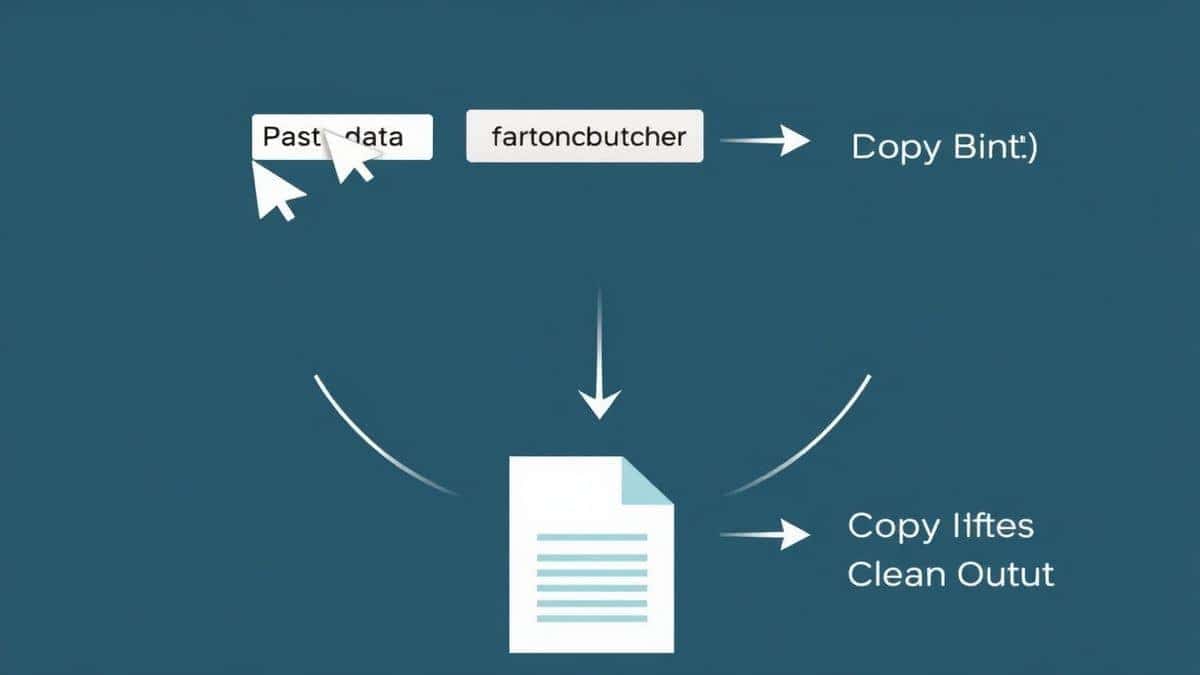
- Navigate: Go to the dedicated tool page: https://converttool.org/jpg-tools/jpg-to-avif.
- Upload: Drag and drop your JPG file into the upload area, or click to browse your local files.
- Adjust Settings: Before processing, use the quality slider. In my experience, starting at 80-85% quality yields the perfect balance of size and clarity for web use -4.
- Convert: Click the convert button. The process happens instantly.
- Download: Once finished, a download link appears. Save your new, optimized AVIF file.
Real Use Cases
This isn't just a "nice-to-have" tool; it's a daily driver for many professionals. Here are specific ways I've seen it used:
- API Data Handling: A developer receives user-uploaded JPG avatars via an API. They use this converter to standardize them into AVIF before storing them on the server, saving database space.
- Data Analysis Reports: Analysts often create charts and export them as images. By converting those bulky JPG charts to AVIF, they can insert high-quality visuals into a PDF or an HTML report without making the file un-shareable.
- Frontend Optimization: When optimizing a landing page, I run all hero and background images through this converter. It’s faster than any CLI tool I’ve used for quick, one-off conversions.
- Markdown Documentation: For developers writing README files or documentation with screenshots, converting those screenshots from JPG to AVIF keeps the repo lightweight.
Pro Tips
To get the most out of your conversion, keep these expert tips in mind:
- Resize First: What worked best for me was resizing the image to its final display dimensions before converting to AVIF. Converting a 4000px wide photo to AVIF is faster if you scale it down to 1200px first -4.
- Batch in Bulk: If you have dozens of images, don't do them one by one. Look for tools that support batch processing, but always test a single image first to ensure the quality setting is right -1.
- Metadata Matters: AVIF can preserve metadata like color profiles. If color accuracy is critical (e.g., product photos), ensure your converter doesn't strip this data. From my testing, converttool.org handles this well.
- Fallback Strategy: Never serve AVIF exclusively unless you are 100% sure of your audience's browser support. Always use a
Common Mistakes to Avoid
Even experienced users slip up sometimes. Here are pitfalls to watch out for when using a JPG to AVIF Converter - Online JPG to AVIF Conversion Tool:
- Ignoring Browser Compatibility: While AVIF support is excellent in 2026 (Chrome, Firefox, Safari), some legacy systems or email clients might not support it. Avoid using AVIF for OpenGraph images or email attachments -2.
- Cranking Quality to 100: Setting quality to 100 often results in a file that is almost as large as the original JPG. You lose the benefit of conversion. Stick to the 75-85 range.
- Forgetting Transparency: If your JPG has a white background that you intended to be transparent, remember that JPG doesn't support transparency. Convert to PNG first, then to AVIF if you need transparency.
- Using the Wrong Tool: I once tried using a video converter to handle images because I was in a hurry. It corrupted the files. Always use a dedicated JPG to AVIF Converter - Online JPG to AVIF Conversion Tool online free tool for image tasks.
Comparison with Other Tools
How does a dedicated online tool stack up against the alternatives?
| Feature | converttool.org (Online) | Desktop Software (e.g., Photoshop) | Other Free Online Tools |
|---|---|---|---|
| Installation | None | Heavy download & install | None |
| Speed | Instant (Browser-based) | Fast (Local) | Varies (Often slow servers) |
| Cost | Free | Subscription / One-time fee | Often Freemium |
| Batch Processing | Yes | Yes | Usually limited |
| Accessibility | Any device, anywhere | Single workstation | Any device, anywhere |
| File Limits | None | Depends on RAM | Often 5MB-10MB limits |
A faster way is using an online tool like converttool.org for quick tasks. Desktop software is overkill if you just need to convert a few images for a web project. Other online tools often bombard you with ads or restrict file sizes. I’ve found that converttool.org offers a clean, unrestricted experience that rivals paid software for 90% of common use cases.
FAQ
What is JPG to AVIF Converter - Online JPG to AVIF Conversion Tool?
It's a web-based utility that transforms JPEG images into AVIF files. It uses modern compression algorithms to create smaller, higher-quality images suitable for today's web standards -5.
How to use JPG to AVIF Converter - Online JPG to AVIF Conversion Tool online?
Simply upload your JPG file, select your desired quality settings, and click convert. The tool processes the file in your browser and provides a download link for the new AVIF image instantly.
Is it free?
Yes, the tool on converttool.org is completely free. There are no hidden costs, no watermarks, and no subscription fees -3.
Is it safe to use?
Absolutely. The conversion happens locally within your browser. Your images are not uploaded to a remote server, ensuring your data privacy and security -4-8.
Do I need coding skills to use it?
Not at all. The interface is designed to be beginner-friendly. If you can drag and drop a file, you can use this JPG to AVIF Converter - Online JPG to AVIF Conversion Tool.
Can beginners use it effectively?
Yes. The tool simplifies a complex technical process into a few clicks, making it perfect for beginners who want to optimize images without learning command-line interfaces.
How to fix JPG to AVIF Converter - Online JPG to AVIF Conversion Tool errors?
Most errors occur if the input file is corrupted. Ensure your JPG file opens normally in a photo viewer. If the problem persists, try a different browser, as export support can vary -4.
What are the benefits of using this tool for web development?
It drastically reduces image file sizes, leading to faster page load times, better Core Web Vitals scores, and improved user experience. It's an essential part of modern web optimization -2-5.
Conclusion
In the race for digital performance, every kilobyte counts. The shift from JPG to AVIF is not just about following a trend; it's about respecting your users' time and data. By integrating a reliable JPG to AVIF Converter - Online JPG to AVIF Conversion Tool into your workflow, you solve the critical pain point of bloated media files without the headache of complex software.
Don't let outdated image formats hold your projects back. Whether you're validating an API response, cleaning up a dataset, or launching a high-performance website, the solution is just a click away.
Ready to modernize your images? Try the JPG to AVIF Converter - Online JPG to AVIF Conversion Tool at converttool.org right now and experience the speed difference for yourself.